Wealth99 Crypto Tax Guide
Summ has partnered with Wealth99 to allow users to import their Wealth99 transactions into the platform so they can find out their tax obligations. Wealth99 helps investors diversify their portfolio by gaining exposure to alternative asset
 Summ
Summ Summ has partnered with Wealth99 to allow users to import their Wealth99 transactions into the platform so they can find out their tax obligations. Wealth99 helps investors diversify their portfolio by gaining exposure to alternative assets - including crypto, digital assets & tokenised assets. As part of this partnership, Wealth99 clients will be able to import their transaction history via API connection.
Watch how to import Wealth99 data into Summ (click here)
Instructions
- Log in to your Wealth99 exchange account
- Go to Settings on the left side menu and select the 'Security' tab
- Click 'Create an API Key'
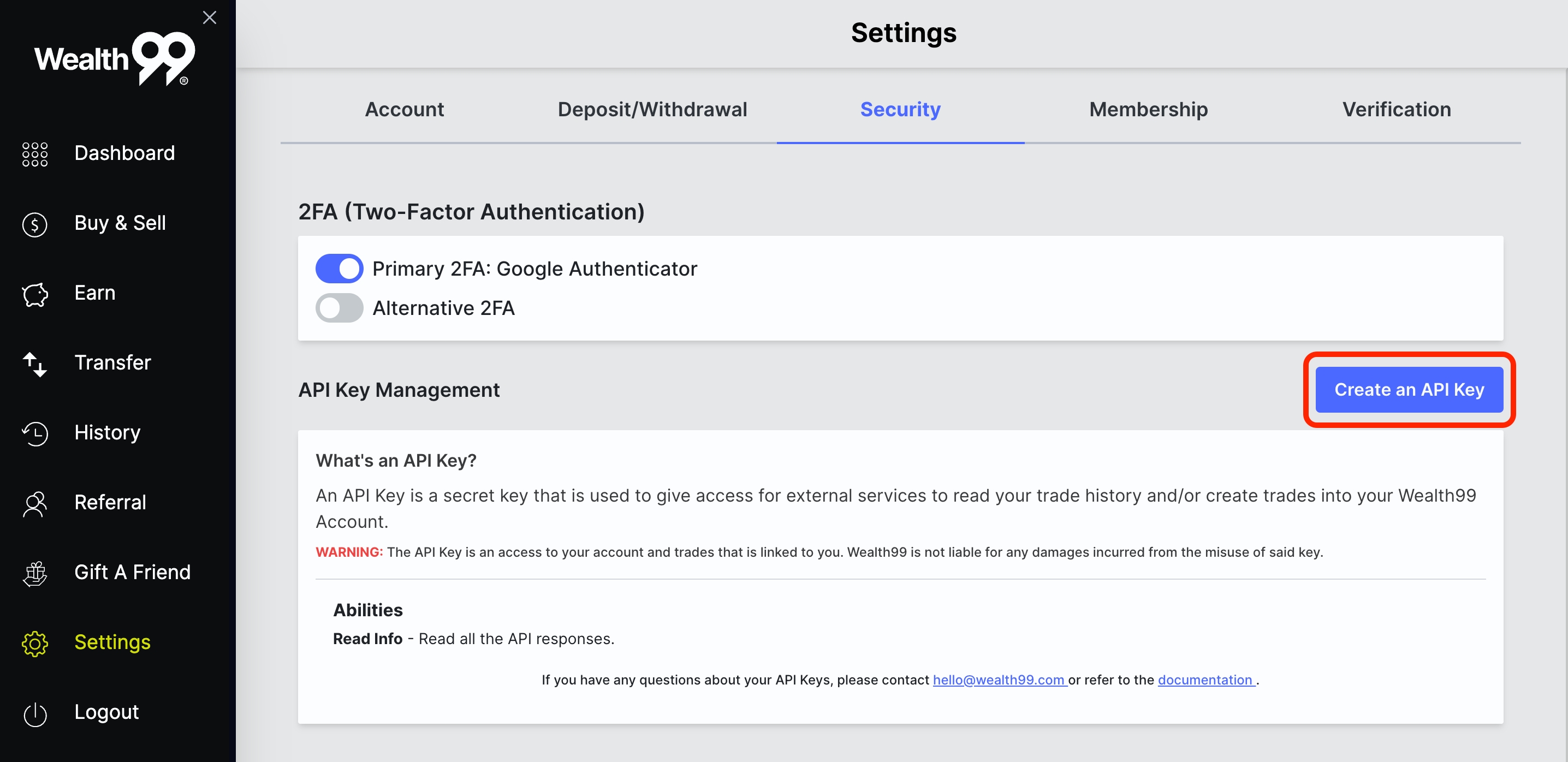
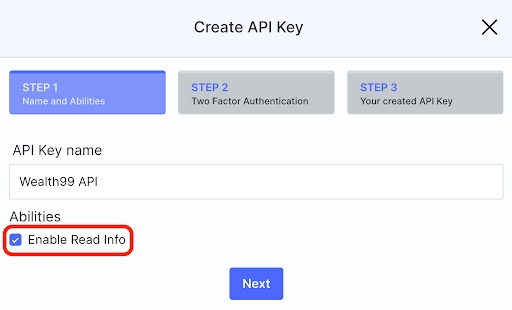
- Ensure that you have checked 'Enable read info'
- Copy the 'API Key' and 'API Secret' & record these somewhere secure.
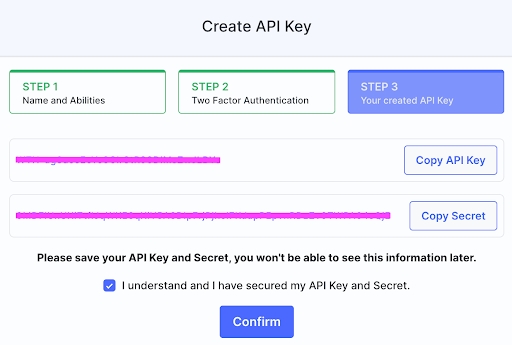
Once you have generated your API key & secret, head over to Summ to complete the process:
- If you haven’t yet, you can sign up for an account here (takes 10 seconds)
- Once logged in, navigate to the ‘Integrations’ page
- Type in ‘Wealth99’ into the search bar and click the option that comes up
- Make sure the ‘Sync via API’ option is selected then enter your API key and secret
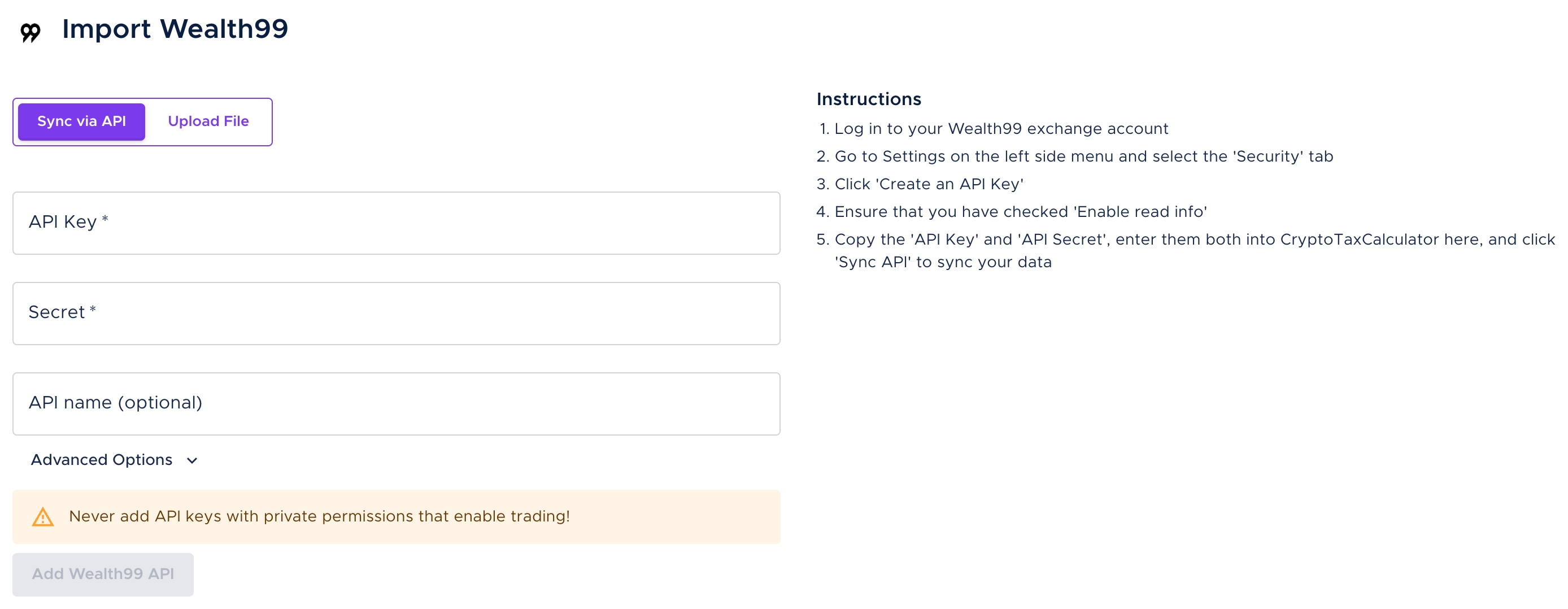
- Once you’ve connected your API successfully, you can upload your data from other different exchanges you may be using before reviewing your transactions & generating the tax reports.
Wrapping up
And there you have it - that’s how you can connect your Wealth99 data to Summ via API keys. If you find that you are missing some transactions, you can upload these transactions manually using our Simple or Advanced manual CSV import.