Stellar Tax Guide
We have developed an integration with Stellar, to help automate your taxes and categorize all your Stellar transactions. Follow this guide to import your Stellar transactions.
 Summ
Summ Summ is proud to introduce tax support for Stellar. Stellar is a fast-growing blockchain platform providing increased speed, scalability and reduced cost of transactions for users.
Quick Start
Although it is a rapidly growing network, a common problem that Stellar users encounter is how to determine their tax obligations for Stellar transactions. To help address this problem and reduce the complexity of crypto taxes for you, Summ has automated this process by developing an integration with Stellar. Simply follow these steps to automatically import and categorize all your transactions.
- Find and copy your Stellar Wallet address (This is generally found on your wallet manager)
- Log in to Summ and navigate to the ‘import data’ section. From here you can enter Stellar into the search field or scroll down to find it manually
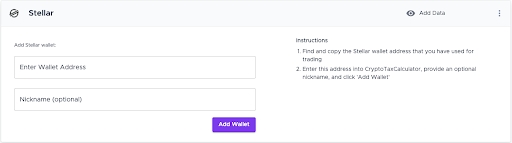
- Enter your Stellar wallet address into Summ, provide an optional nickname, and click 'Add Wallet'
- Once your Wallet has synced, you will see a green tick which means that Summ will have successfully pulled in your transaction history associated with this wallet from the Stellar network