How to Do Your Robinhood Crypto Taxes
This article explains how to file your taxes arising from any crypto transactions on RobinHood
 Summ
Summ If you use Robinhood to trade crypto you might be wondering how to do your Robinhood taxes. In this article we’ll walk you through gathering and reporting your Robinhood tax forms to ensure you’re on the right track.
Does Robinhood Report to the IRS?
Yes. Robinhood does report your crypto transactions to the IRS.
You may have noticed that Robinhood issued you a Form 1099. If you have sold crypto or received rewards equaling more than $600 in a year, Robinhood will send you a Form 1099 and also send it to the IRS.
Since the IRS has a record of your crypto transactions, it’s important to make sure you file your taxes accurately, to avoid receiving a CP2000 notice or worse, an audit.
How to Do Your Robinhood Crypto Taxes
You need to report any capital gains or losses from your Robinhood crypto transactions to the IRS as part of your yearly tax return. Typically, you will report your gains and losses on Form 8949, and you can also use Form 1099 that you receive from Robinhood to report your crypto, however, it may not always be entirely accurate.
Even though Robinhood reports your crypto transactions to the IRS on Form 1099, you still need to accurately determine your cost basis – the amount you paid when you bought an asset – to help you figure out your capital gains.
This can be difficult to track when you’re transferring crypto in and out of the platform. On its website, Robinhood states that when “we don’t have the cost basis, it’s your responsibility to calculate and report the proper cost basis on your tax return.”
This is where you can use a crypto tax platform like Summ to help you report your crypto taxes. All you need to do is import your Robinhood transaction data and Summ will analyze the data – alongside any other external crypto activity – and calculate your cost basis. You can then generate a tax report ready for the IRS, your accountant or TurboTax.
How to Get Your Robinhood Tax Documents
Robinhood doesn’t currently provide complete and accurate tax reports ready for you to file.
You’ll either need to use software like Summ to analyse your transactions and calculate your tax for you, or otherwise download your transaction data and calculate your taxes manually.
Summ supports an API connection with Robinhood, which allows your transaction data directly, allowing for accurate and up-to-date reporting. Alternatively you can download a CSV of your transactions from Robinhood, but you’ll need to repeat this process each time your transaction history changes.
Getting your Robinhood tax data using an API
The easiest way to transfer data is to generate an API key and share the details with Summ. Follow the below instructions to import your data.
On Robinhood:
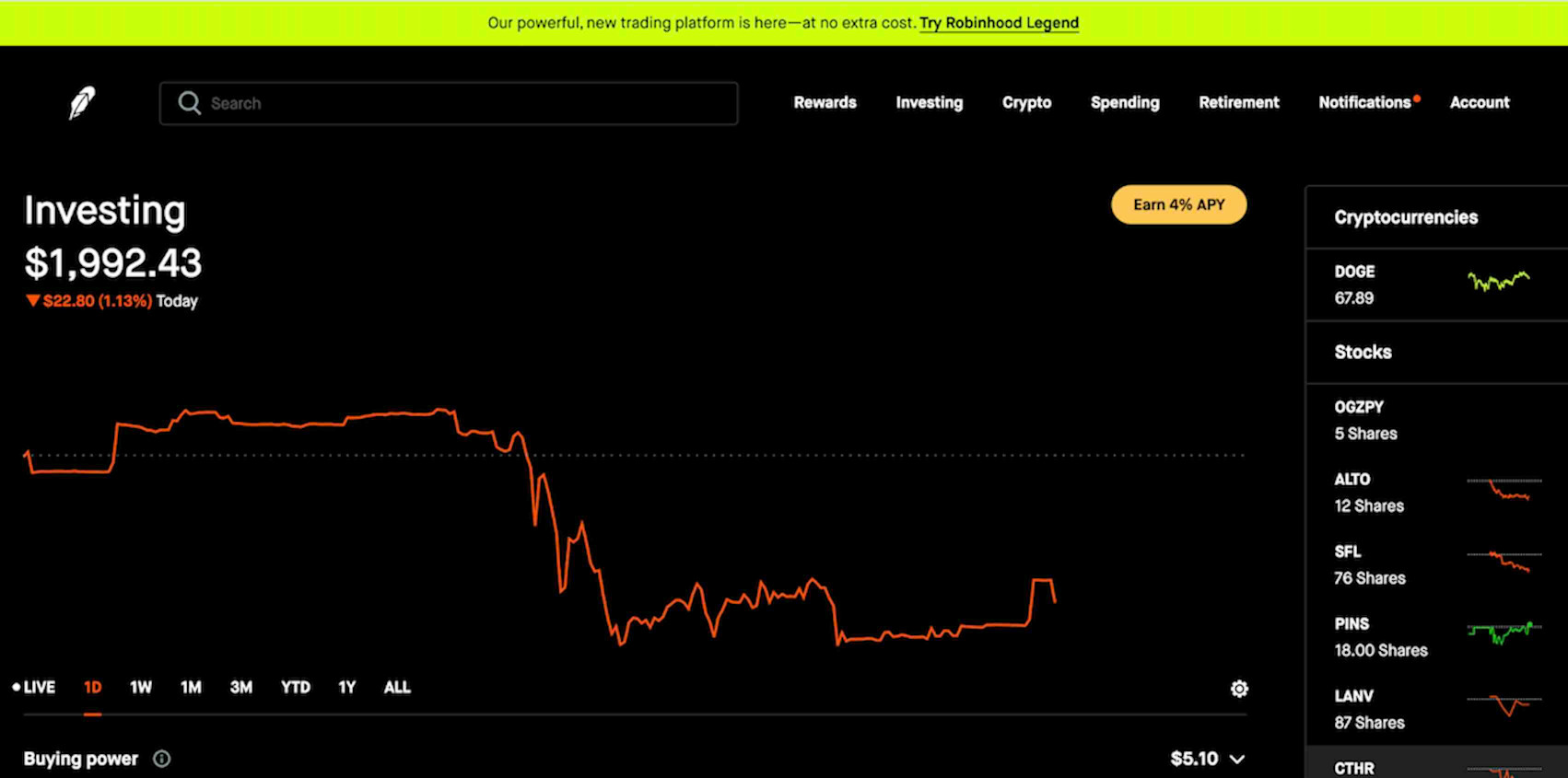
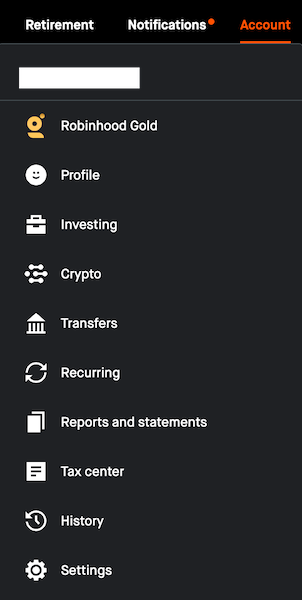
- Click “Account” in the top-right corner, then select “Crypto.”
- Scroll down to “API Trading.”
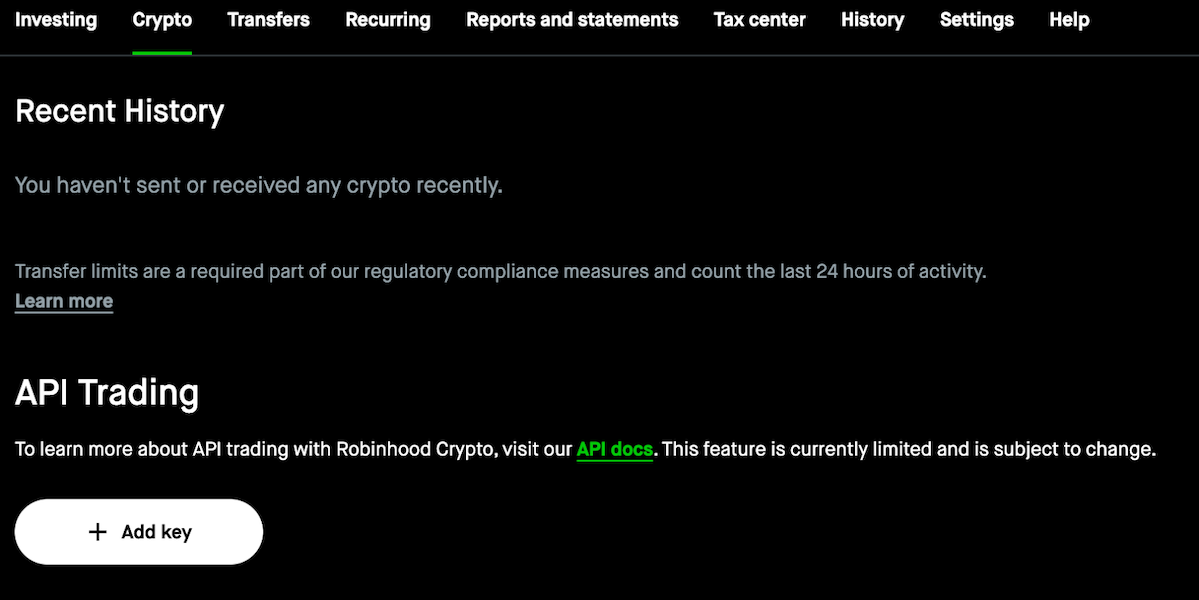
- Select “Add Key.” This will open a window with details to fill out, including key name, expiration date, allowed API actions, and public key.
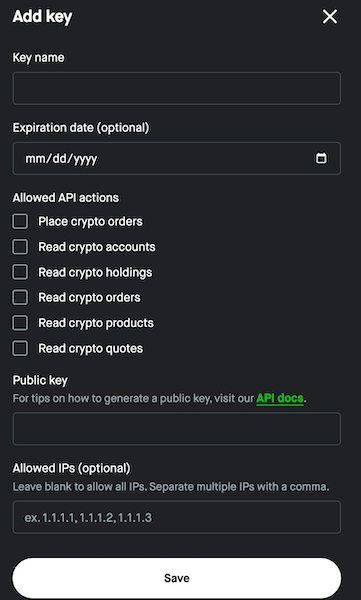
- You will need to generate a public and private key pair. There is a link under “Public key” on API guides which will explain how to do this: https://docs.robinhood.com/crypto/trading/#section/Authentication/Creating-a-key-pair
- Under API actions, enable all read actions.
- Skip setting any allowed IPs or expiration date for the API key.
- Click “Save” for the API key creation.
- You will receive a notification to authenticate the activity.
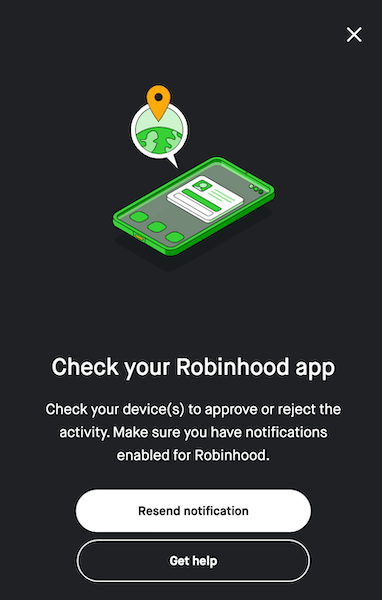
- Robinhood will then display the API key.
On Summ
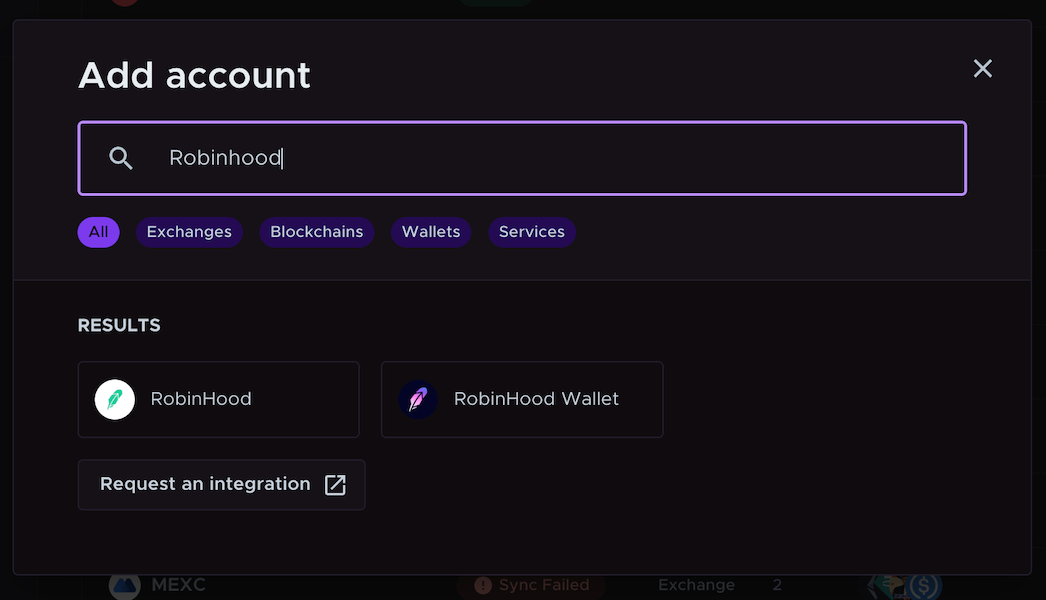
- Log in to Summ, navigate to the Accounts page and search for Robinhood in the “Add account” menu.
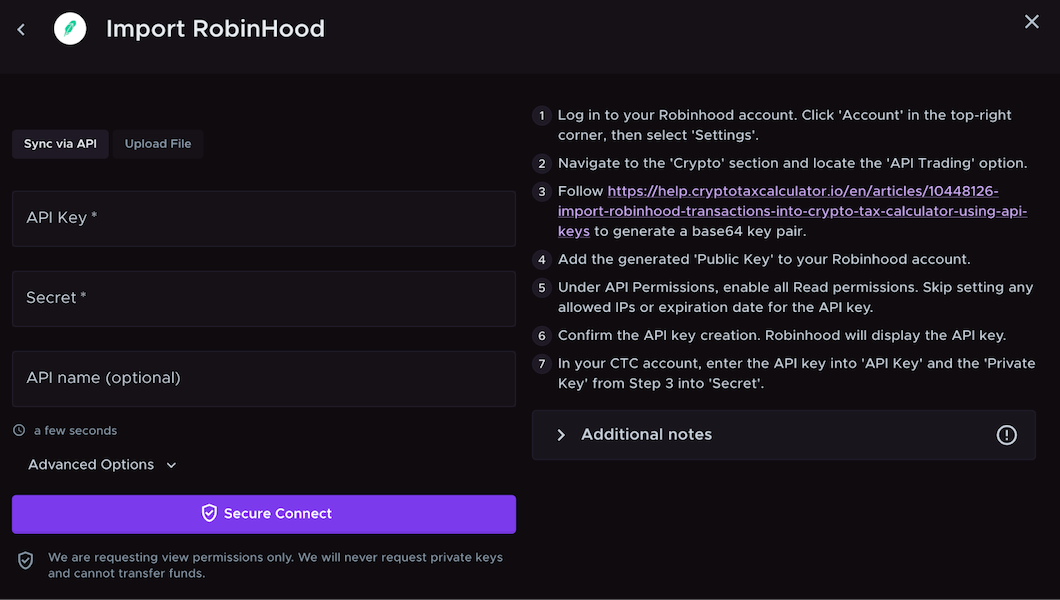
- Select “Sync via API” and paste in your API Key and Secret.
- Wait for the API to sync, and then review your transaction data.
Using a CSV upload
The alternative to using an API is downloading your transaction data and uploading the files to Summ. If you’d prefer to import via CSV, follow the instructions below to import your data.
On Robinhood
- Log in to your Robinhood account.
- Click 'Account' in the top-right corner, then select “Tax Center.”
- Your CSV documents will be available under “Robinhood Markets Consolidated Transactions.”
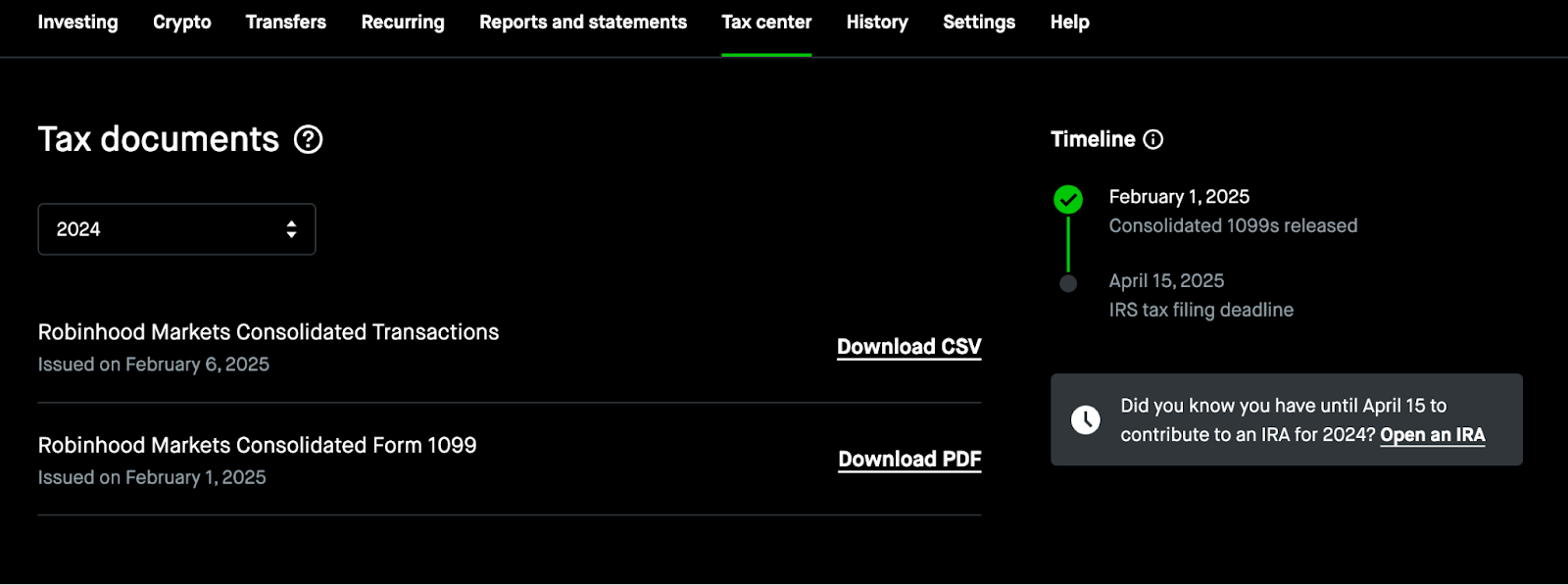
- Click “Download CSV.”
- Once you have your file(s), convert from PDF to CSV if necessary.
- Re-format the file(s) into Summ’s advanced CSV format.
On Summ
- Log in to Summ, navigate to the Accounts page and search for Robinhood in the “Add account” menu.
- Upload your CSV file(s) by clicking “Upload File” and then “Import Robinhood CSV.”
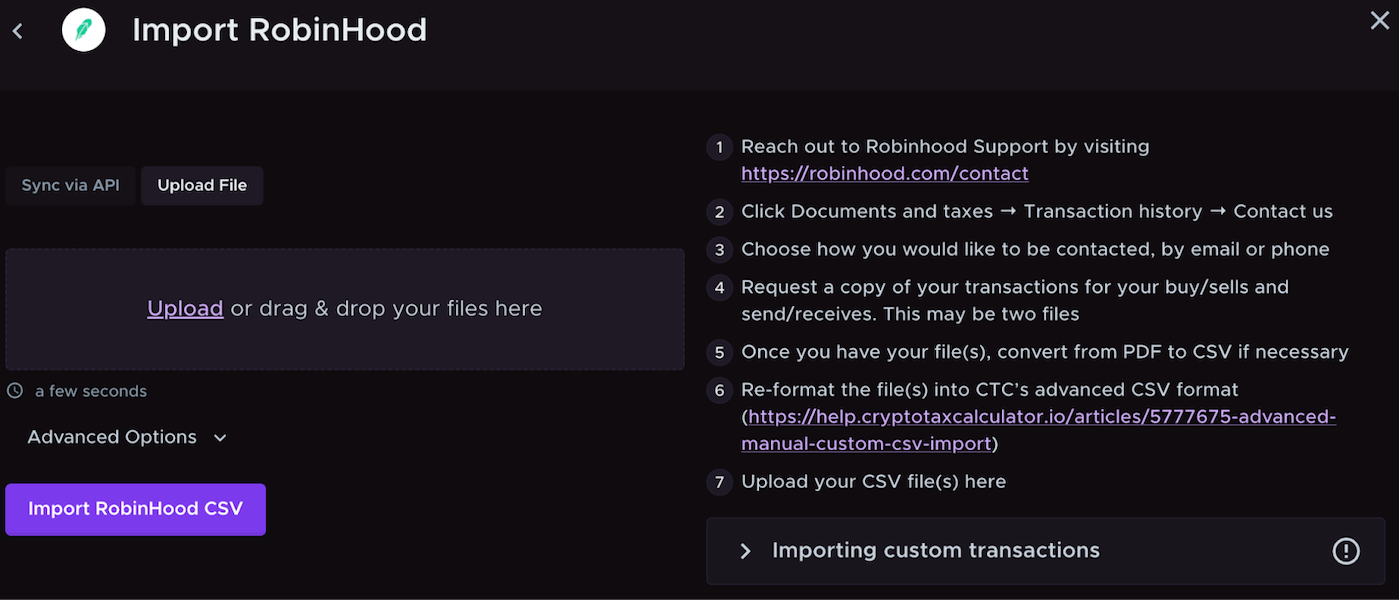
- Wait for the file to upload, and then review your transaction data.
Wrapping Up
Once you have uploaded all your crypto data from Robinhood into Summ, our platform can calculate your portfolio breakdown and crypto tax obligation. If you can’t upload your transactions, you may add them individually on the review transactions page.