Exchanges
October 24, 2024
Importing Your Caleb & Brown Data
Summ allows you to upload Caleb & Brown data by CSV upload. Uploading your transactions allows Summ to calculate your Caleb & Brown tax obligation.
 Summ
Summ This tax guide is regularly updated: Last Update October 23, 2024
How to import your Caleb & Brown data into Summ
Summ allows you to upload Caleb & Brown data by CSV upload. Uploading your transactions allows Summ to calculate your Caleb & Brown tax obligation.
- Login to the Portal at app.calebandbrown.com
- Navigate to the Transactions page (left hand side menu)
- To the top-right of the Transaction table, is the Export Summary button
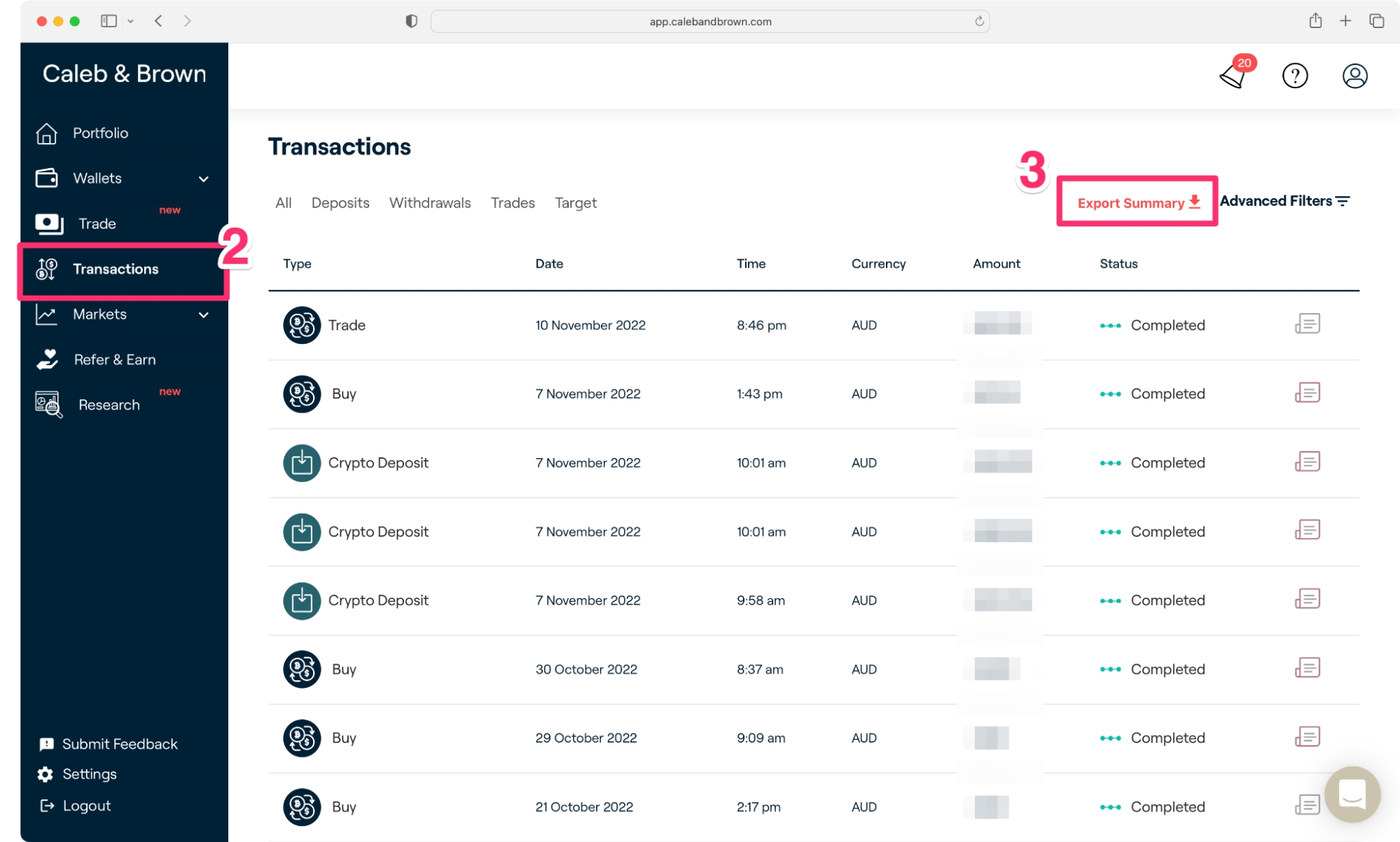
- Choose Transaction Summary, select 'All time' as the Time Period and click export
Wrapping Up
Once you have uploaded all your crypto data Summ can calculate your portfolio breakdown and crypto tax obligation.