Importing Your Base Data
Summ allows you to upload Caleb & Brown data by CSV upload. Uploading your transactions allows Summ to calculate your Base tax obligation.
 Summ
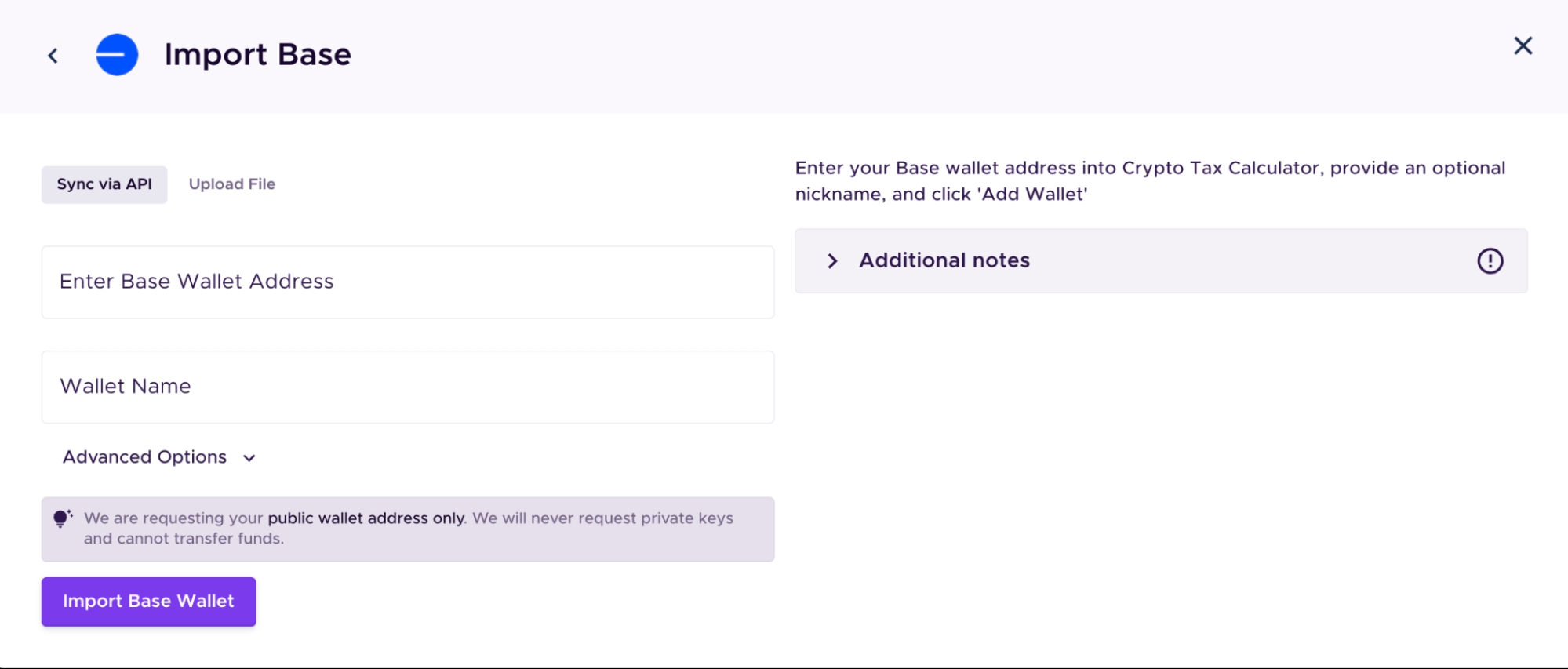
Summ As the first step in your crypto tax process, you will need to upload all your transactions from your Base wallet to Summ. You can simply sync your transactions with our platform using your wallet address. Follow the below instructions to import your Base transactions.
Importing transactions from your Base Wallet into Summ
To organize your transactions from Base Wallet for tax purposes, you will need to import your full transaction history. In the ‘Integrations’ tab in our app, you can search for Base. You can then enter the wallet address/es you used to interact with the platform. This will import your transaction history into our app, giving you the ability to categorize any outstanding transactions and then calculate your capital gains, losses and/or income.
Note: If you have transacted on multiple chains & exchanges, you will need to also import that data into Summ.
Wrapping Up
Once you have uploaded all your crypto data Summ can calculate your portfolio breakdown and crypto tax obligation.