TaxScouts Crypto Tax Return
Summ (formerly Crypto Tax Calculator) is proud to support TaxScouts, a fast and effortless tax preparation tool in the United Kingdom. You can easily prepare a self-assessment tax return, and have it sorted by a certified accountant online. Follow these steps to get your tax return sorted out.

Summ (formerly Crypto Tax Calculator) is proud to support TaxScouts, an online tax preparation tool in the UK and Spain. They sort your Self Assessment tax return for £119, all in - and Summ users get 10% off too! It's fast, online and done by a certified accountant. Follow these steps to get your tax return sorted out.
1. Visit the TaxScouts website
Click here to access the TaxScouts website. You can then create an account to get started or log in if you already have an account.
2. Reason for tax return
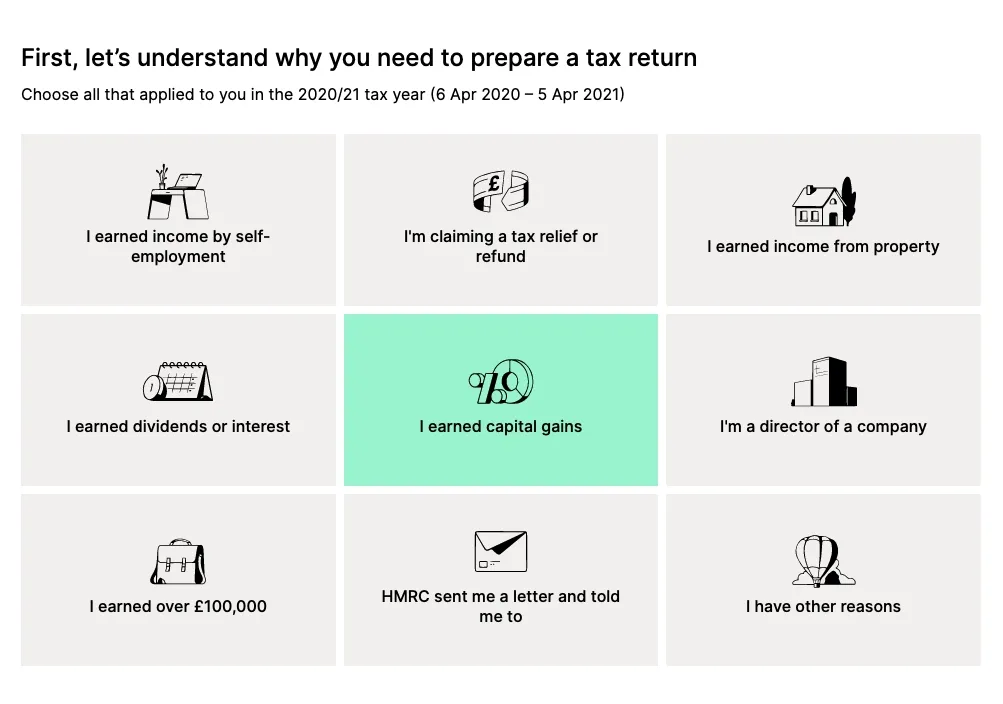
You will be prompted to choose your reason for preparing a tax return. Select the "I earned capital gains" option as below.
3. Sources of income
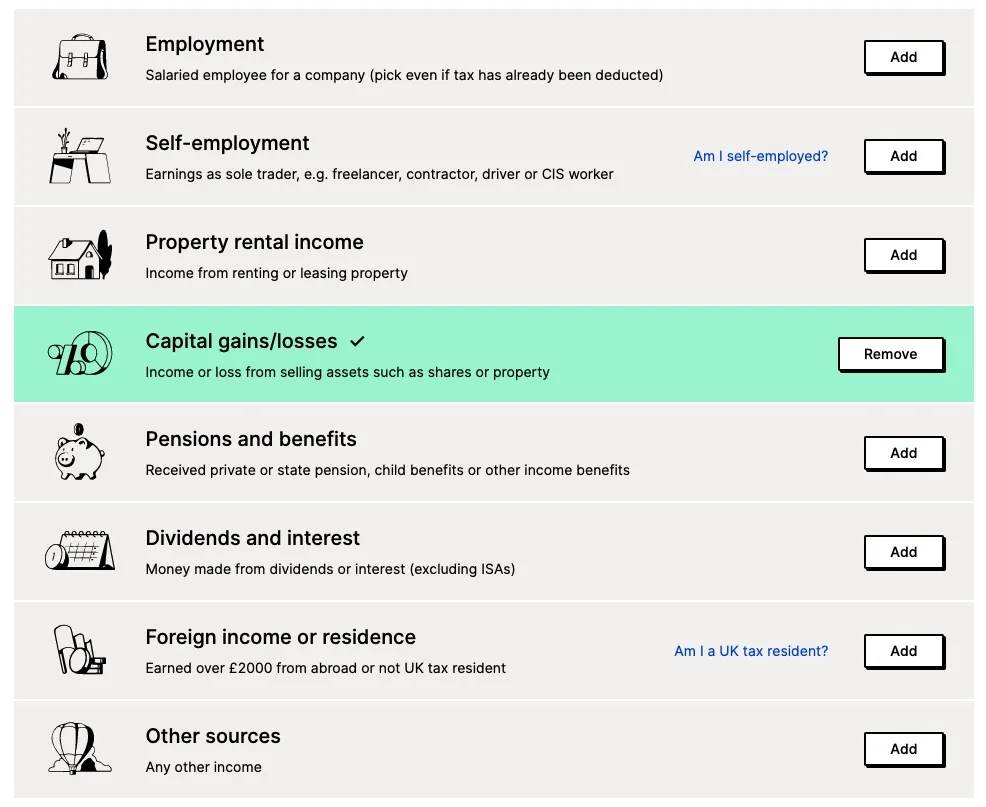
Next, you have to select all the ways you earned income in the tax year. Add "Capital gains/losses" as your source of income. Make sure you also add any other listed sources of income that apply to you, such as Employment.
4. Questions
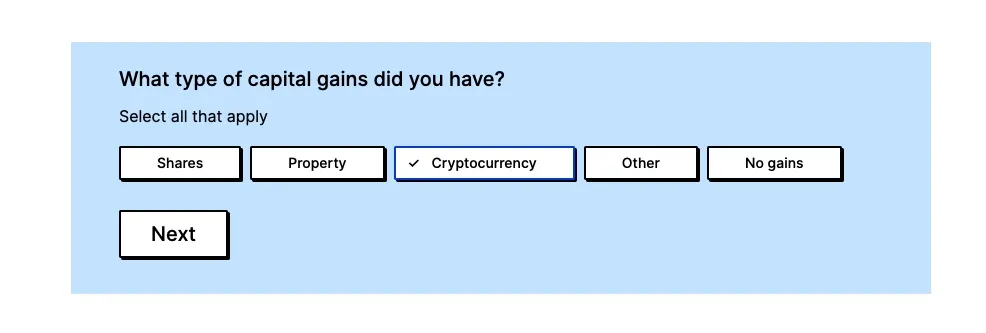
You will first be asked about what type of capital gains you had. Select "Cryptocurrency."
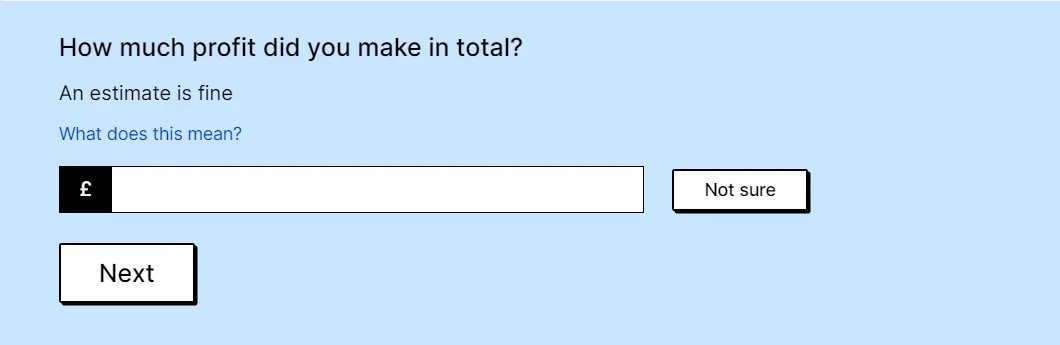
Once you press 'Next', you will be asked to enter how much profit you made in total.
After this, you will be asked how many cryptocurrency sales transactions you undertook, and whether you reported them using 'Real time capital gains service.'
If you are unsure about your answer to any of these above questions, there is an option to choose "Not sure" or "Don't know" for these questions.
5. Assigning an accountant
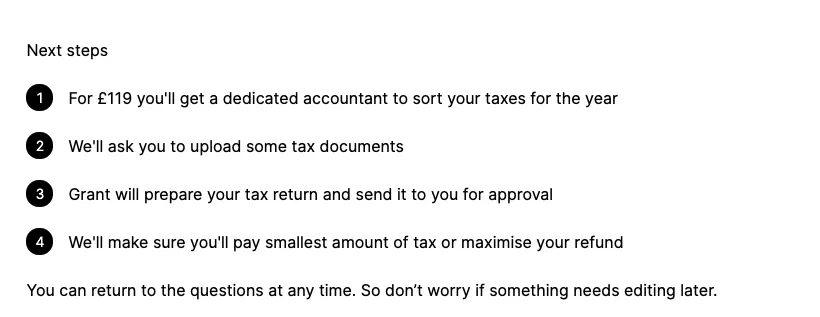
Now that you have entered your details, you can proceed to the next step where you pay and TaxScouts assign you an accountant to file your tax return. Once this has happened, you will be required to upload some documents to support the tax return.
6. Import your Capital Gains Report from Summ
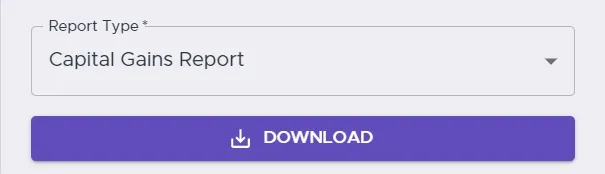
Navigate to Summ. Once you have logged in, you can navigate to the 'Get Report' section of the page and download your Capital Gains Report as a CSV file. Make sure that all your transactions have been covered in the report. You can then import this file into the TaxScouts website.
Once the CSV file has been uploaded, your accountant will have sufficient information to handle your cryptocurrency taxes. However, you will also need to provide documentation for your other sources of income, e.g. employment. Finally, you can accept the terms of engagement and the accountant will be able to prepare your tax return.
Die auf dieser Website bereitgestellten Informationen sind allgemeiner Natur und stellen keine Steuer-, Buchhaltungs- oder Rechtsberatung dar. Sie wurden ohne Berücksichtigung Ihrer persönlichen Ziele, Ihrer finanziellen Situation oder Ihrer Bedürfnisse erstellt. Bevor Sie auf Grundlage dieser Informationen handeln, sollten Sie deren Eignung im Hinblick auf Ihre eigenen Ziele, Ihre finanzielle Situation und Ihre Bedürfnisse prüfen und professionelle Beratung in Anspruch nehmen. Summ (früher Crypto Tax Calculator) schließt jegliche ausdrücklichen oder stillschweigenden Garantien, Zusicherungen und Gewährleistungen aus und haftet nicht für Verluste oder Schäden jeglicher Art (einschließlich menschlicher oder computerbedingter Fehler, ob fahrlässig oder nicht, sowie Neben- oder Folgeschäden), die aus der Nutzung oder dem Vertrauen auf die Informationen oder Ratschläge dieser Website entstehen oder damit im Zusammenhang stehen. Die Nutzerin bzw. der Nutzer trägt die alleinige Verantwortung für die Verwendung der Inhalte dieser Website, unabhängig vom Zweck, für den diese Nutzung oder deren Ergebnisse angewendet werden. Die Informationen auf dieser Website sind kein Ersatz für fachkundige Beratung.

Shane Brunette founded Summ (formerly Crypto Tax Calculator) back in 2018 after dealing with his own crypto tax nightmare. He has worked closely with accountants and tax lawyers to make it easy for fellow cryptocurrency users to be tax compliant.
Weitere Ressourcen

Lost, Stolen or Hacked Crypto - Tax Implications
Are you someone who has unfortunately had crypto stolen or hacked, or maybe you just lost access to it? Learn the tax implications in our blog article.
Weiterlesen
How to calculate tax on ETH gas fees
At the time of writing gas price is 180 Wei and to do a trade on Uniswap cost around $100 in ETH. This is a significant…
Weiterlesen
Tax Clarity for the Way You Actually use Crypto
We're excited to announce a partnership with XPlace, Solana's first true crypto credit card.
Weiterlesen