Your 2023 Guide to Cryptocurrency Wallets: Beginners to Experts
A comprehensive guide to top cryptocurrency wallets in the market to safely store your assets. From hot digital wallets to hardware wallets, this guide will help users pick the most valuable wallet with features that meet your specific needs.
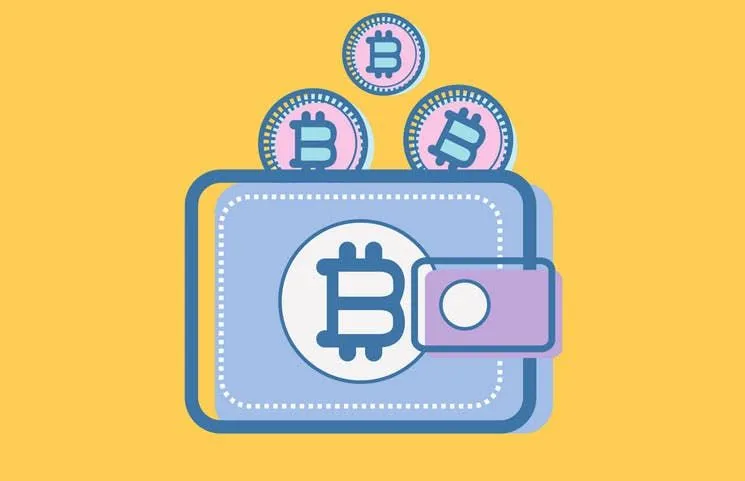
Understanding types of wallets:
Hot Wallet:
Wallets stored on internet-connected devices such as a computer, mobile, or web are known as Hot Wallets. These wallets are convenient, allowing you to access and manage your cryptocurrency quickly.
While they are convenient, hot wallets are much more vulnerable to security issues as private keys are generated on internet-connected devices. In the event where the exchange has been hacked - your funds may be lost, therefore hot wallets should only be used to store a small amount of crypto.
Hot Wallets include those linked to an exchange account such as Coinbase, Gemini, Binance, and more.
Cold Wallet:
On the other hand, a cold wallet is one not connected to the internet. You might often see them referred to as a hardware wallet or offline wallet.
Cold wallets are much more secure and are less susceptible to security risks than hot wallets as private keys are not connected to the internet which can often be compromised. They are also not susceptible to viruses that may exist on one's computer as the private keys do not come into contact with your network linked to your computer. Typically, these wallets work in conjunction with other software allowing investors to access, manage, and conduct trades without putting their private key at risk.
These wallets are usually preferred by more advanced investors as they do require more knowledge to set up and use than hot wallets.
For anyone interested in cryptocurrency, safe storage of your crypto is very important and we do recommend everyone to learn more about the advantages and disadvantages of hot/cold wallets in greater depths before choosing to use either one.
Private Key:
When dealing with cryptocurrency, it is hard to not come across the term ‘private key’. When you own cryptocurrency, what you really own is a private key. This key provides direct access to the funds associated - so you can see just how important it is to keep this key safe and secure through utilising different cryptocurrency wallets.
When one is dealing with cryptocurrency, they are given two keys: a public and private key.
The public key can be provided and known to others and is used to receive and deposit funds. On the other hand, a private key is similar to your bank PIN. You need this private key to access and use any funds/cryptocurrency associated. It is vital that your private key is kept safe because once stolen or lost, the contents of the key can be compromised.
This private key usually takes form in a series of highly secure and encrypted series of alphanumeric numbers which is hard for any hackers to code.
This is why it is very important to have an understanding of the different types of cryptocurrency wallets and their features to ensure you are keeping your crypto as safe and secure as possible.
Beginner Friendly Wallets
- Exodus Perfect for beginners with its user-friendly interface and convenient cryptocurrency exchange-built in, Exodus is a popular desktop and mobile hot wallet. Especially for those new to the crypto space, this wallet contains all the basic functions a new user is likely to use - live charts and portfolio, asset management, trading, customer support and more. In addition, Exodus supports crypto swaps between 100+ different currencies such as Bitcoin, Ethereum, Monero, Ripple and more, making exchanges quick, easy and very convenient.
The best part of it all, this software is free to use!
However, more advanced users might be more reluctant to use Exodus given that it is a closed source wallet, which may create some security concerns as its code is not open for everyone to see. Trust is placed in the exchange to secure the source and declare it safe. It is however, more secure than a web wallet which can run the risk of central server hackers.
- Mycelium Mycelium is an industry-leading mobile-only hot wallet for Bitcoin. It boasts a customizable user interface and also a convenient built-in exchange feature for cryptocurrency swaps, making it one of the most widely used Bitcoin wallets with hundreds of thousands of users.
One of the most interesting features of Mycelium setting it apart from other Bitcoin wallets is that it is a semi-open source, allowing users to store additional coins and private keys on an external hardware wallet in an offline device whilst still being able to use Mycelium’s user interface to monitor their portfolio easily.
- MetaMask For those interested in EVM chains specifically, we can’t forget to include MetaMask!
MetaMask is a browser extension software wallet, that can also be connected to popular hardware wallets to keep your crypto assets secure. It is designed with accessibility at hand, allowing users to access and interact with Decentralised Apps (Dapps) on EVM chains, such as Ethereum, Binance Smart Chain (BSC), Arbitrum and Optimism, more easily. In addition, it allows users to store their tokens and NFTs, as well as access services built on the Ethereum network.
MetaMask is designed to help users access Dapps with ease and provide an easy entry point into the world of DeFi through interactions with DeFi apps such as Compound.
Using MetaMask is easy.
Users simply install the browser extension and once installed, it allows users to begin storing and spending their Ethers through interacting with Dapps.
However, the only downside to MetaMask is that it is a hot wallet, therefore your private keys are stored on a third-party platform through the user’s browser. Although this is considerably less safe than a hardware or paper wallet, a hot wallet boasts accessibility and beginner-friendly features as their key attributes in a compromise for less security.
More Advanced Wallets
- Ledger Nano X
Ledger Nano X is often cited as a top pick amongst hardware wallets in the cryptocurrency community. As you already know, hardware wallets are much more secure than software wallets given the ability to store public and private keys offline, making them immune to intrusion from viruses and hacking.
Ledger Nano X contains all the features found on popular wallets such as Multi-Currency support, user-friendly display panel to monitor transactions, a backup system, strong security features and even Bluetooth capability for mobile support.
However, the one downside to this wallet is its price. Set at a price point of over $100, this wallet is perhaps more suited for a long-time investor holding a significant amount of currency who may want to invest more in exchange for a more secure software.
Less tech-savvy users may also find set-up a bit more difficult and challenging.
- Trezor Model T Trezor is another notable crypto cold wallet popular amongst the crypto community. Much like the ledger, it provides its users with utmost security whilst offering exciting features tailored for individuals such as a web-based user interface for exchange built-ins, a massive list of supported cryptocurrency, customer and asset support. It also features a touch screen for ease of use and a MicroSD card slot for encryption protection.
Whilst it is a great secure hardware wallet, this does come with an expensive price tag of $170 USD which new users may be drawn away from.
The information provided on this website is general in nature and is not tax, accounting or legal advice. It has been prepared without taking into account your objectives, financial situation or needs. Before acting on this information, you should consider the appropriateness of the information having regard to your own objectives, financial situation and needs and seek professional advice. Summ (formerly Crypto Tax Calculator) disclaims all and any guarantees, undertakings and warranties, expressed or implied, and is not liable for any loss or damage whatsoever (including human or computer error, negligent or otherwise, or incidental or Consequential Loss or damage) arising out of, or in connection with, any use or reliance on the information or advice in this website. The user must accept sole responsibility associated with the use of the material on this site, irrespective of the purpose for which such use or results are applied. The information in this website is no substitute for specialist advice.

Patrick (https://www.linkedin.com/in/patrick-m-35a4501b1/) has been in the crypto industry for the last 7 years and is passionate about sharing his knowledge and experience in web3. Patrick has also covered the crypto space for Forbes Advisor (https://www.forbes.com/advisor/au/author/patrick-mcgimpsey/), Canstar (https://www.canstar.com.au/author/patrick-mcgimpsey/) and The Chainsaw (https://thechainsaw.com/author/patrick-mcgimpsey/).
More resources

Lost, Stolen or Hacked Crypto - Tax Implications
Are you someone who has unfortunately had crypto stolen or hacked, or maybe you just lost access to it? Learn the tax implications in our blog article.
Read More
How to calculate tax on ETH gas fees
At the time of writing gas price is 180 Wei and to do a trade on Uniswap cost around $100 in ETH. This is a significant…
Read More
Do You Pay Taxes When You Transfer USDC Between Wallets?
Moving USDC between your own wallets usually isn't taxable, but swaps, spending and missing records can be. Here is when USDC transfers trigger tax.
Read More