How to submit your cryptocurrency report using TurboTax
This guide shows you two methods for uploading your crypto tax information to TurboTax. Updated for 2025.
Die wichtigsten Erkenntnisse
- TurboTax has two different main page layouts depending on your account type. This guide explains the process for both of them.
- You will need to report both your capital gains from crypto as well as your income from crypto.
- Summ (formerly Crypto Tax Calculator) simplifies your crypto tax reporting and supports both the Desktop and online versions of the TurboTax app.

Given the popularity of TurboTax in the US and Canada for tax reporting, you'll probably want to learn how to report your crypto profit or loss alongside your regular income and capital gains.
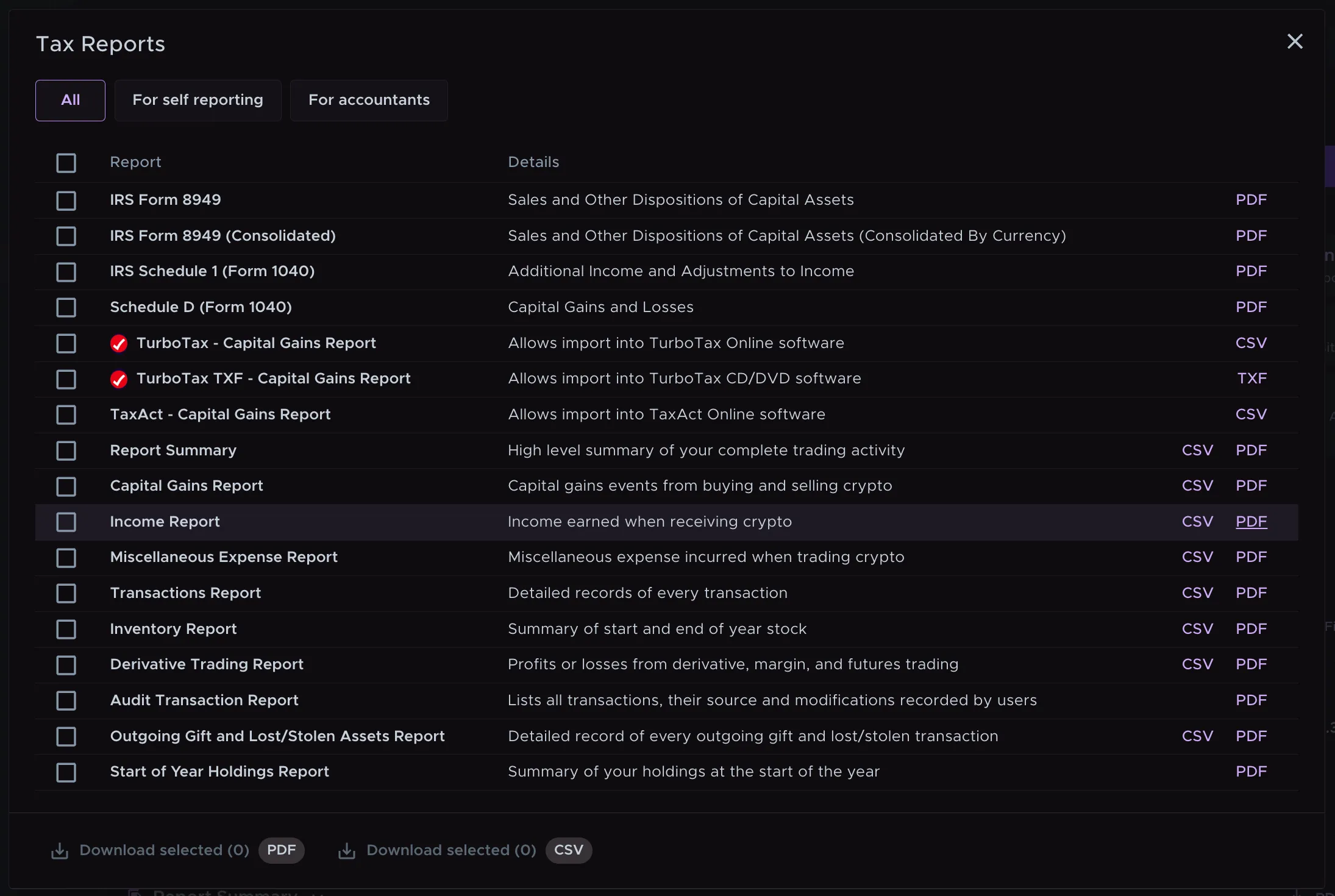
To comprehensively report your crypto on Turbo Tax, you will need to upload both a crypto capital gains report and a crypto income report.
You can get both of these reports from Summ, which supports both the Desktop and online versions of the TurboTax app.
Here's a quick overview of how to file your crypto tax in TurboTax. Read on for detailed step-by-step instructions with screenshots of the TurboTax software.
| Summ Report | Tax Type | Import Method |
|---|---|---|
| TurboTax - Capital Gains Report (Online) | Capital gains | Upload the downloaded file |
| TurboTax TXF - Capital Gains Report (Desktop) | Capital gains | Upload the downloaded file |
| Income Report | Income | Manually enter the figures |
How to Import Your Capital Gains Report into TurboTax (Layout 1)
1. Set up your account on TurboTax
Go to the TurboTax website and create an account or sign in if you already have one. Follow the prompts to set up your account. Make sure to check the box for "I sold stock or crypto" or a similar option if it’s available.
2. Navigate to Federal > Wages & Income
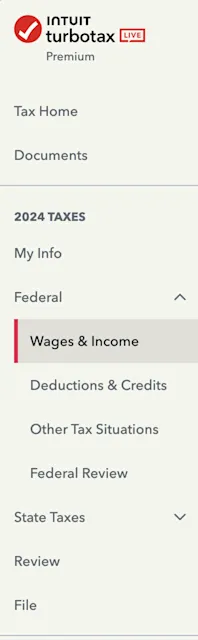
Click on the Federal Tab on the sidebar once you have completed the “My info” section to start filing your wages and income. Follow the prompts and check crypto investment-related boxes.
3. Add 'Investments and Savings Income'
TurboTax updates its website from time to time and provides different workflows tailored to its users' individual situations. After prompts, you will be led to a page that looks similar to the image below. Click Start on Investments and Savings and answer the questions accordingly.
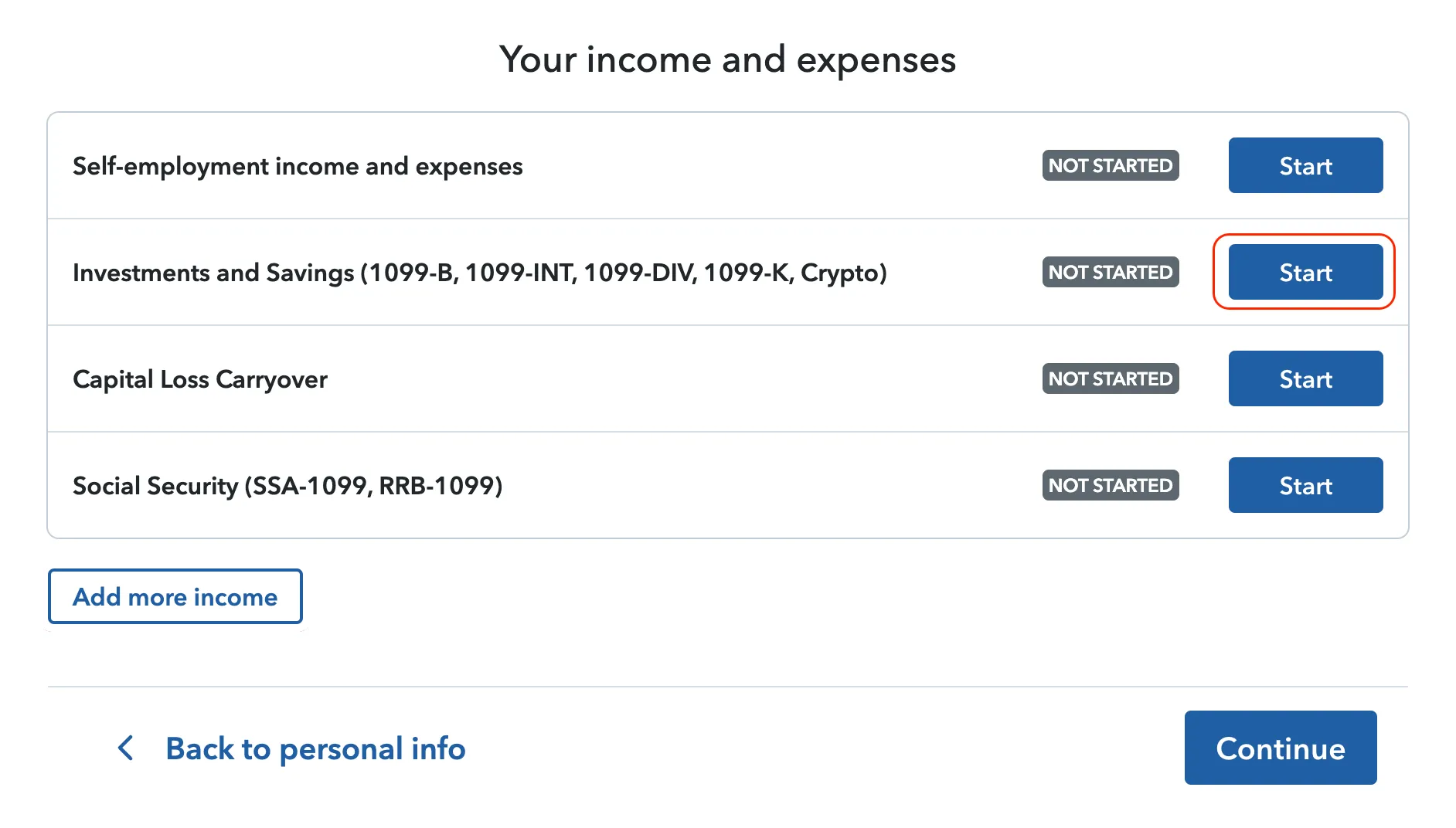
If you don’t see this option, scroll down and look for Investments and Savings to get started.
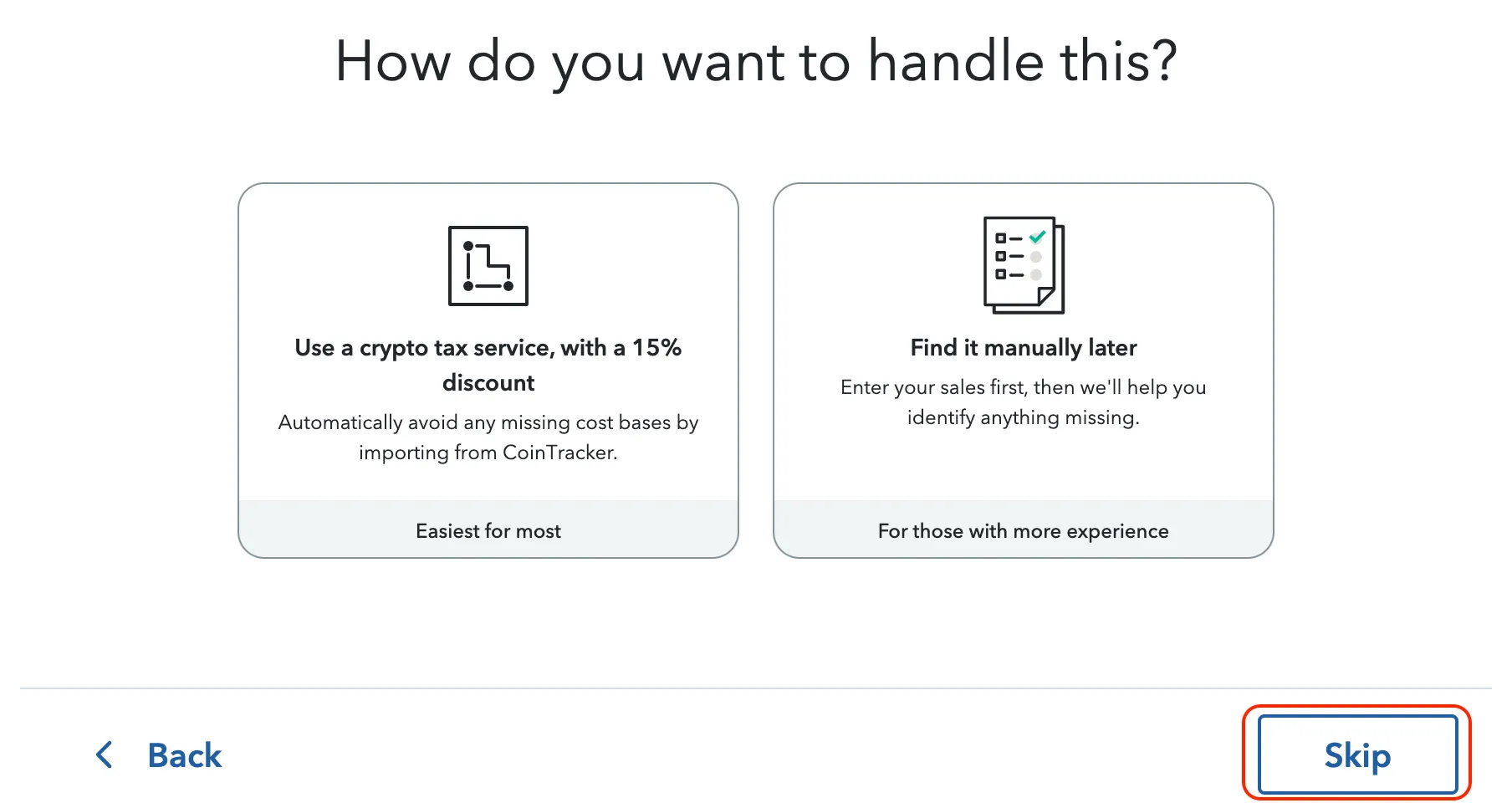
When asked how to handle it, click Skip.
4. Upload your TurboTax Capital Gains Report
You will be prompted to choose which cryptocurrency service to import your information. Select Enter a different way.
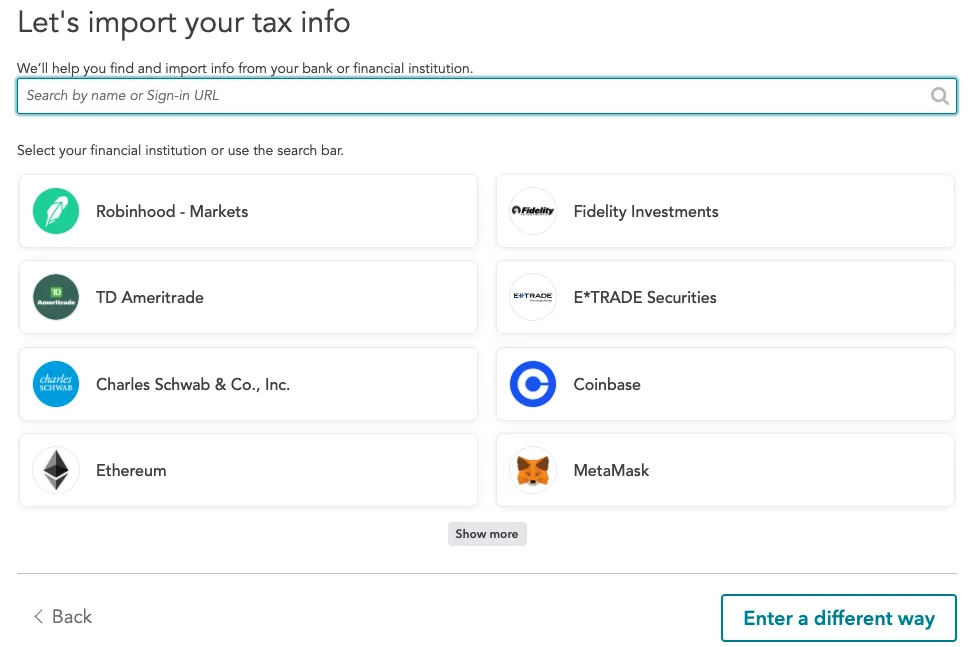
Then select Cryptocurrency.
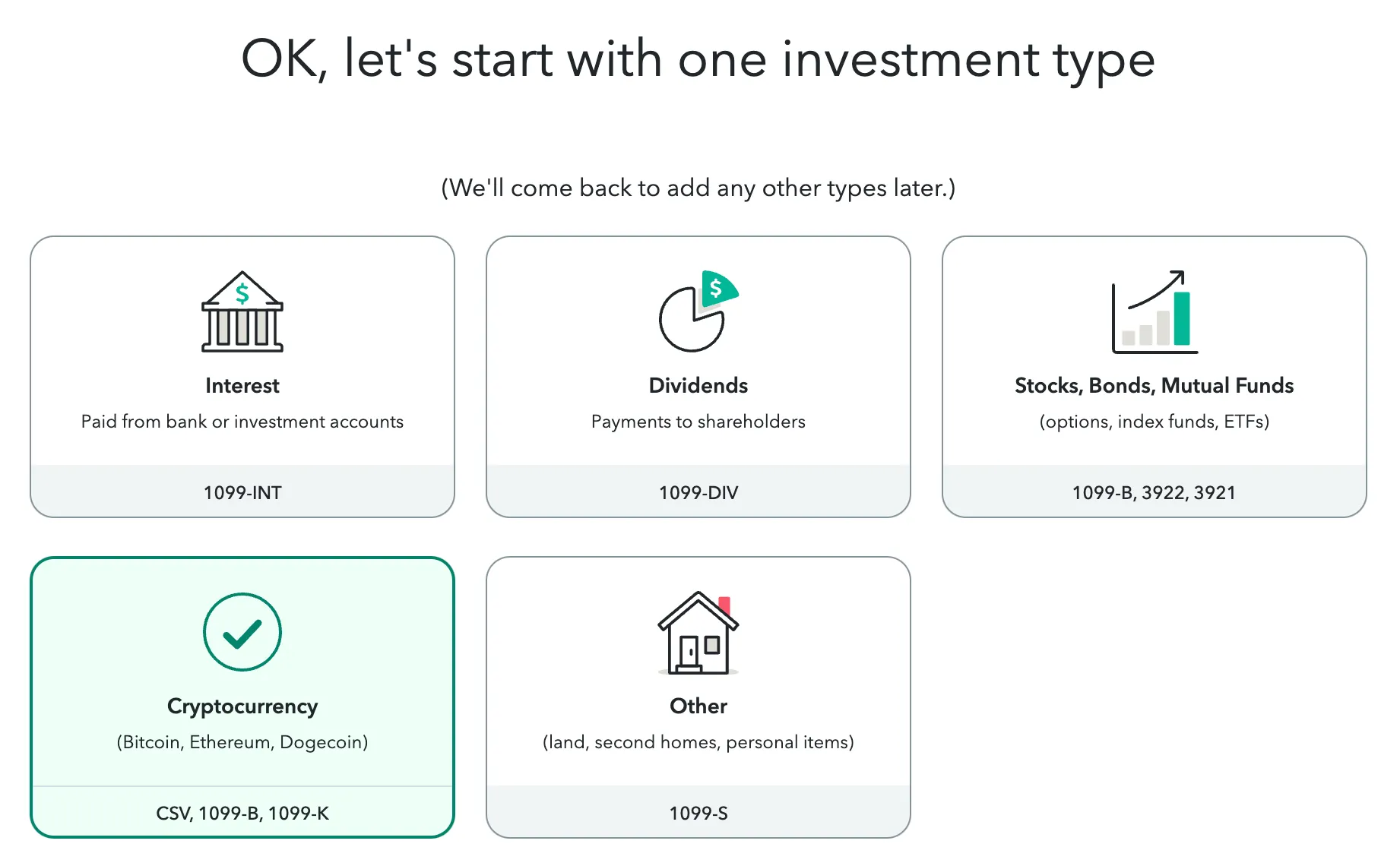
Then select Upload it from my computer.
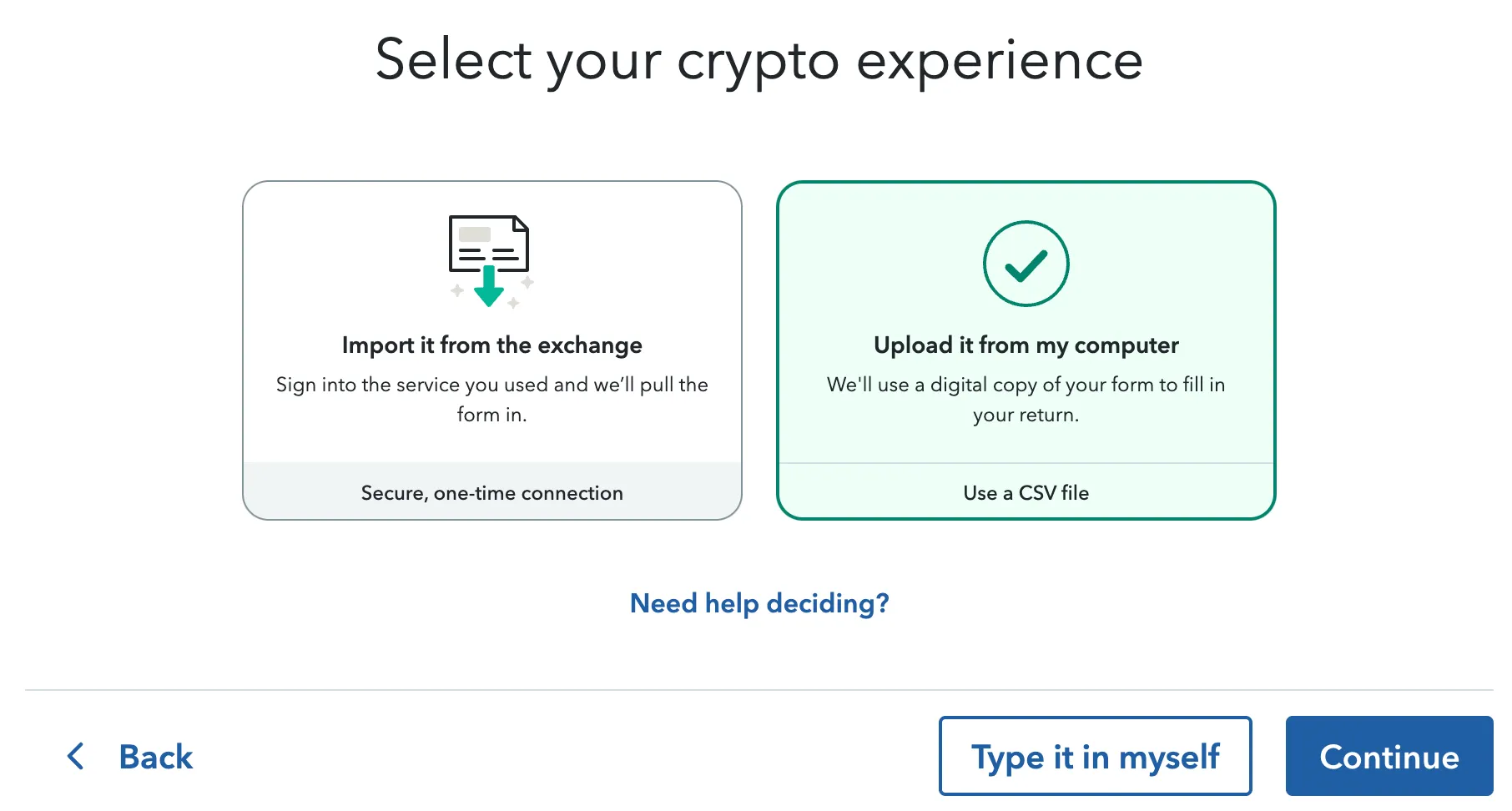
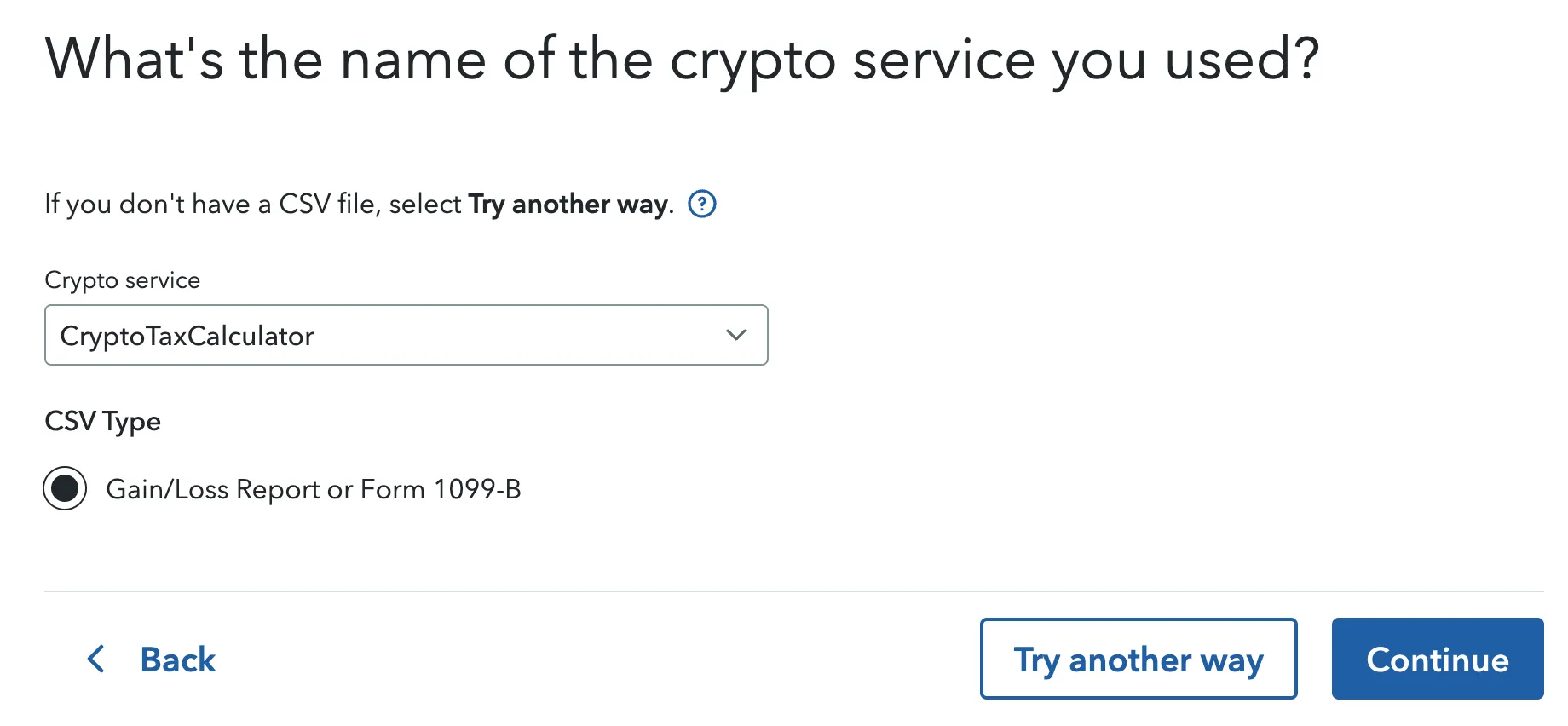
Select Summ in the 'Crypto service' dropdown menu, and select Gain/Loss Report or Form 1099-B as your CSV Type, and click Continue.
If you have already downloaded the TurboTax file from Summ onto your computer, you can now upload it to TurboTax.
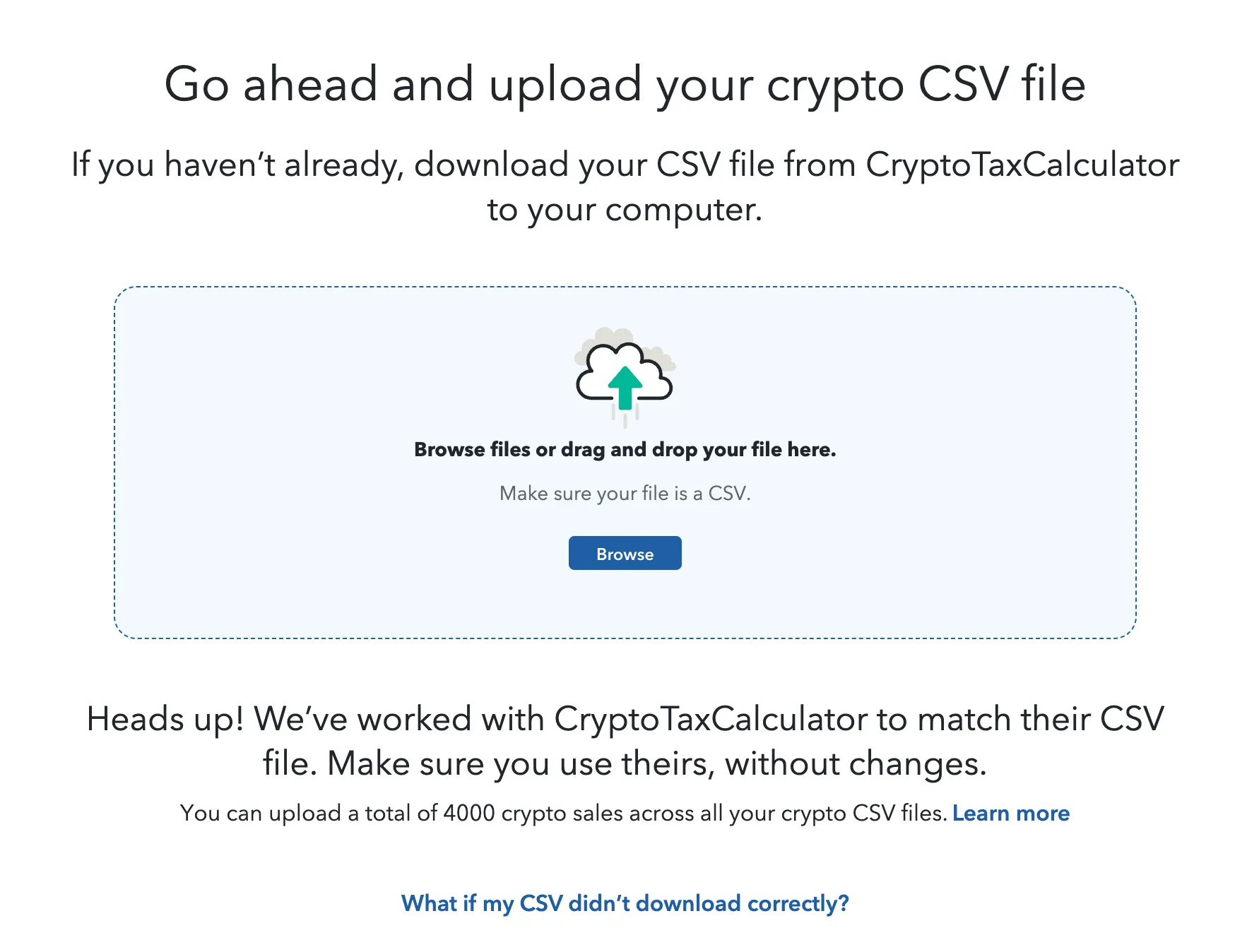
If you have not downloaded this form yet, follow the below steps to download the TurboTax Online report from your Summ account and import it directly into TurboTax:
- Go to the Reports page, confirm the report period and tax settings are correct, and proceed to download the report.
- With TurboTax Online: Click 'Turbotax Online' to download the TurboTax - Capital Gains Report.
- With TurboTax CD/DVD: Click 'Download reports'. Download TurboTax TXF - Capital Gains Report in the report menu.
5. Review Taxable Transactions in TurboTax
Once the file is uploaded, you can review the imported transactions. A few things to be noted:
- Only capital gain transactions are imported from the TurboTax Capital Gains Report file. To report your income, check the following section.
- Short-term and long-term gains are listed separately, even with the same token.
- Edit or add transactions if necessary.
Get a crypto tax report ready for TurboTax in minutes.
How to Import Your Capital Gains Report into TurboTax (Layout 2)
Note: TurboTax has two different main page layouts. If your screen looks different from the one shown below, please follow the instructions in this section instead.
After setting up your account and logging in, you should see the following page.
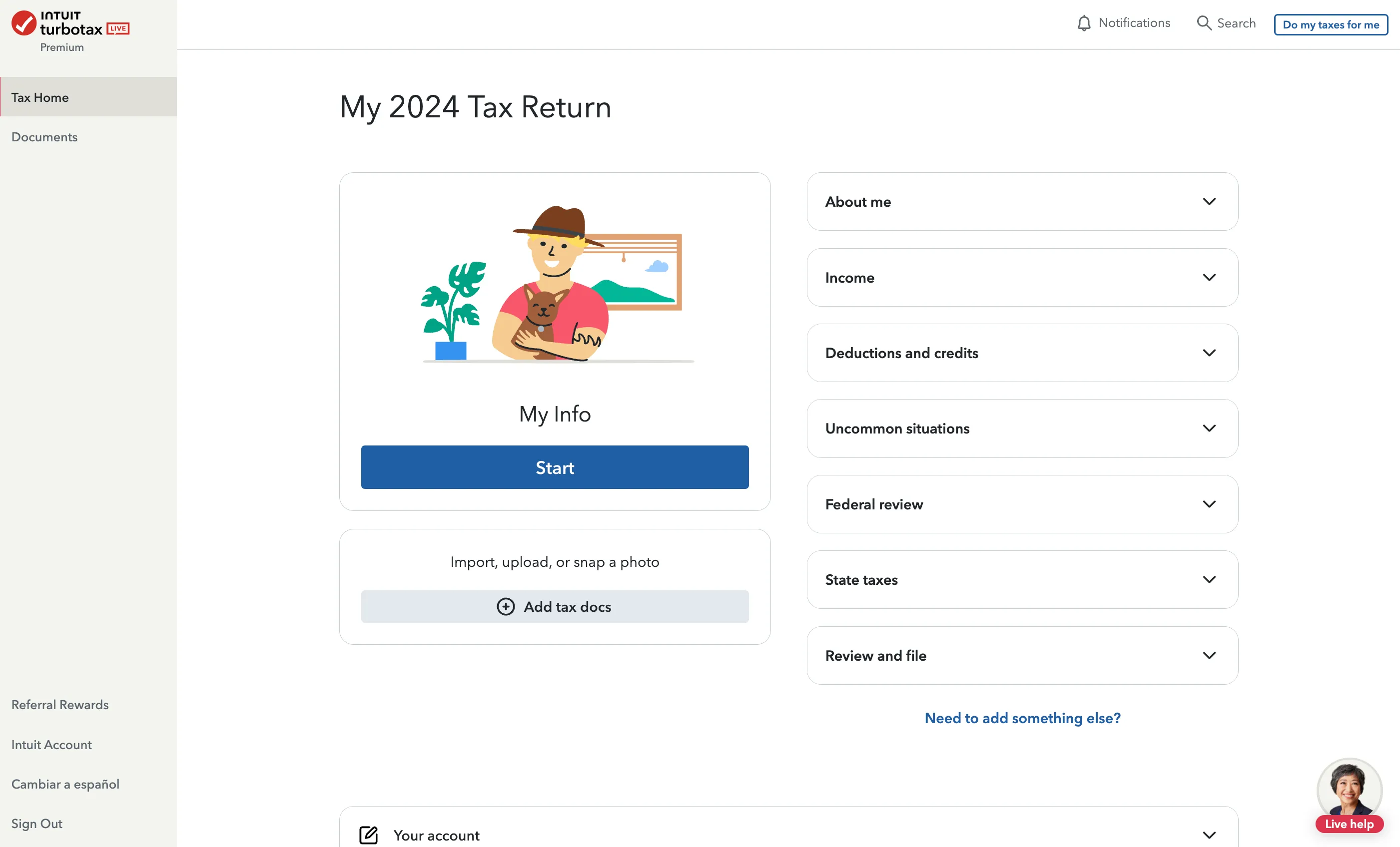
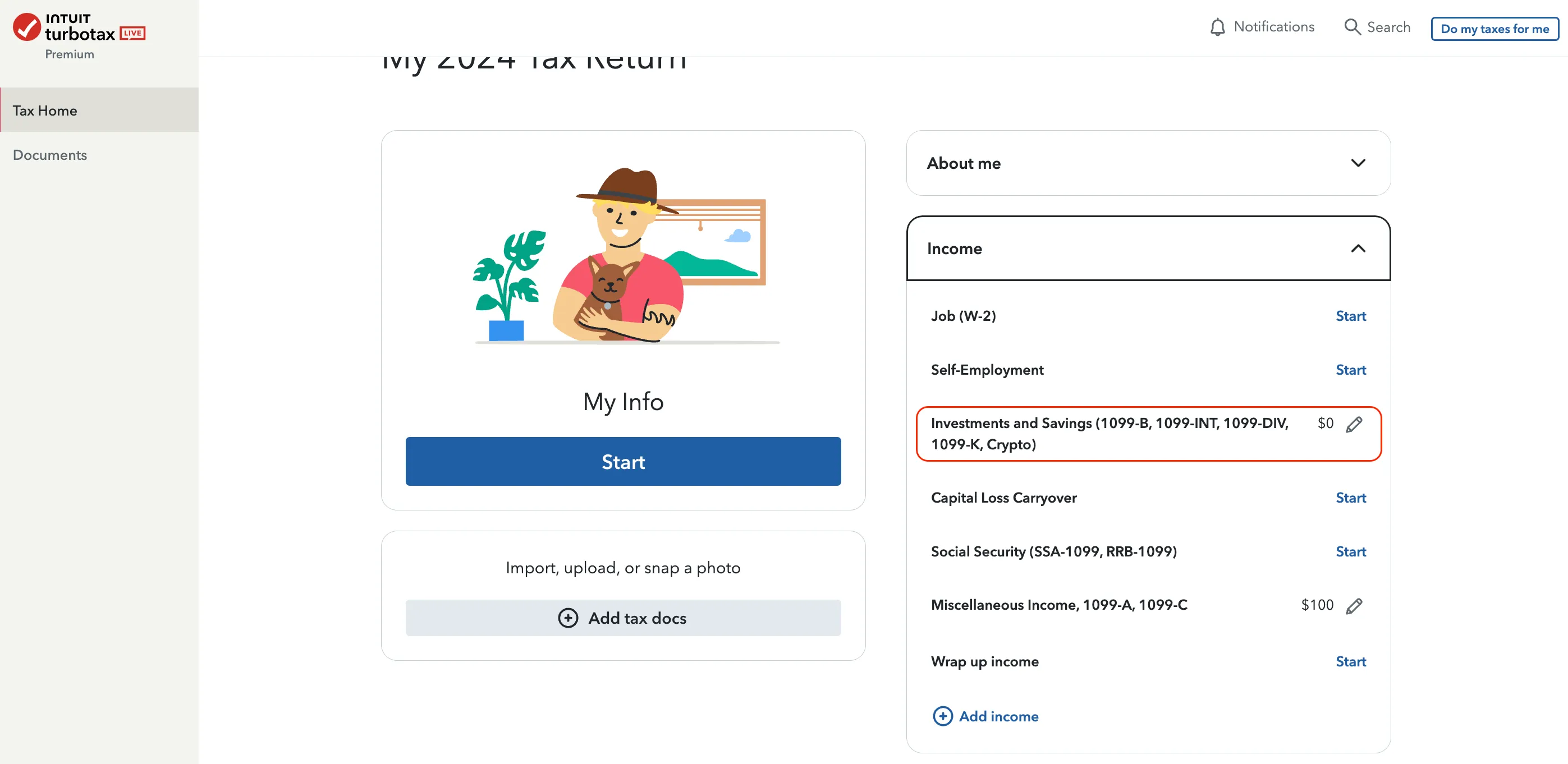
Click the edit icon next to Investments and Savings and answer the questions based on your situation.
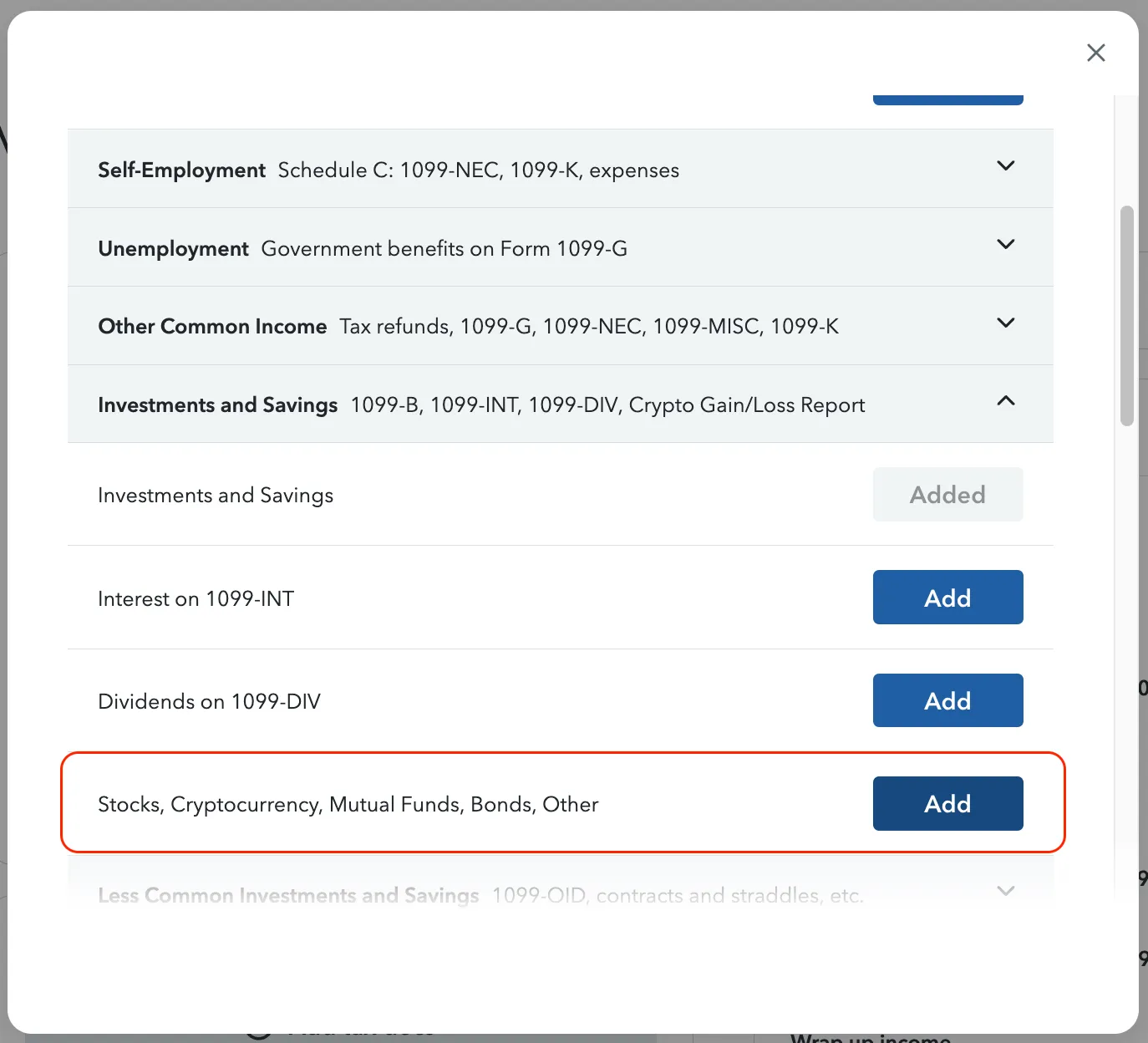
If you don’t see this option in the dropdown menu, click Add income, then select the Investments and Savings category that includes cryptocurrency.
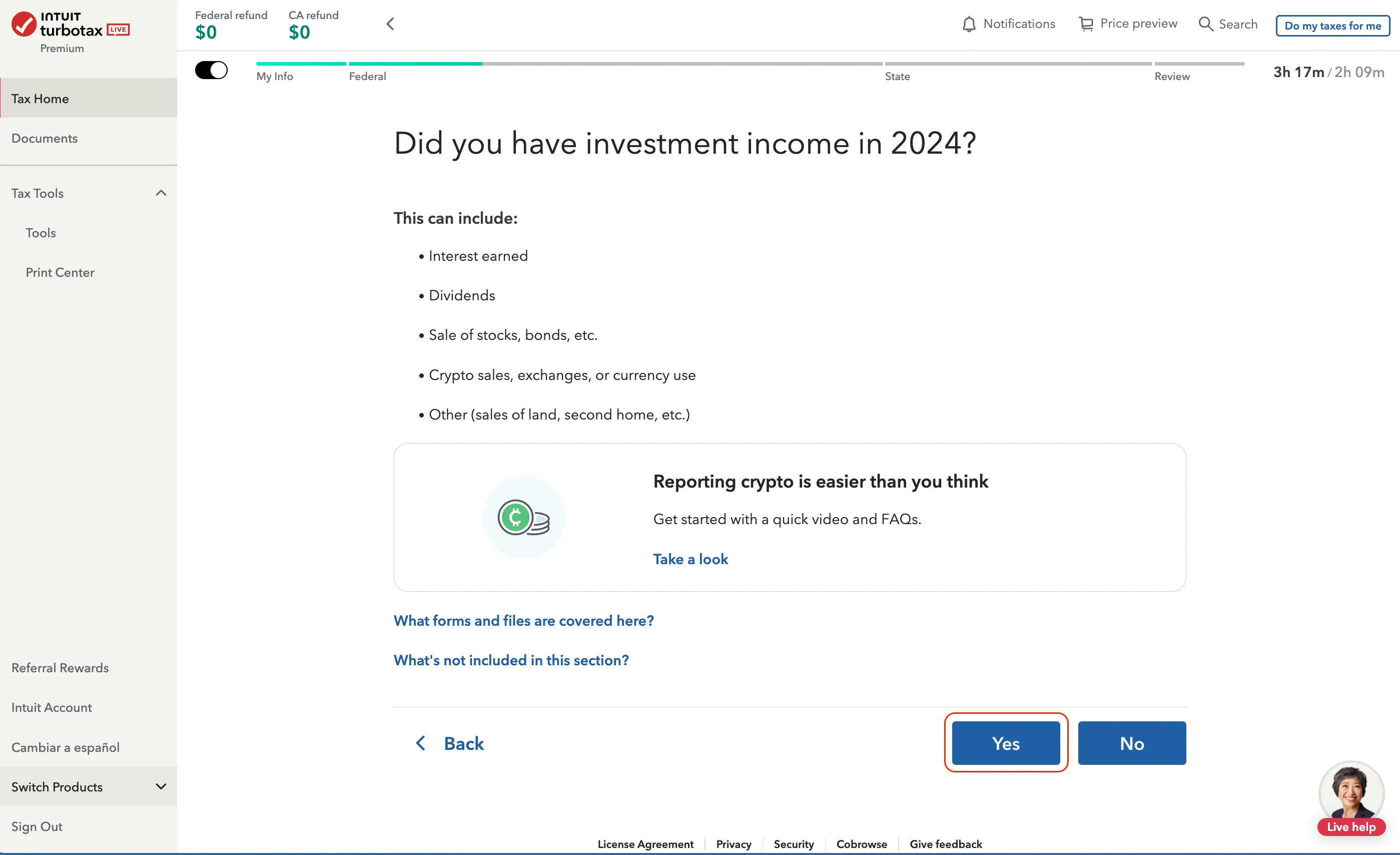
Select Yes to proceed.
Return to Step 4 in the section above and continue with the instructions.
How to Report Other Crypto Income in TurboTax
1. Download your Summ Income Report
Go to the Reports page and select Download Reports. From the tax report menu, download the Income Report PDF.
2. Navigate to Federal > Wages & Income In TurboTax
As explained above.
3. Fill out your other crypto income
- Click Add More Income.
- Choose Less Common Income.
- Select Miscellaneous Income, 1099-A, 1099-C.
- Select Other Reportable Income.
4. Fill out your income items.
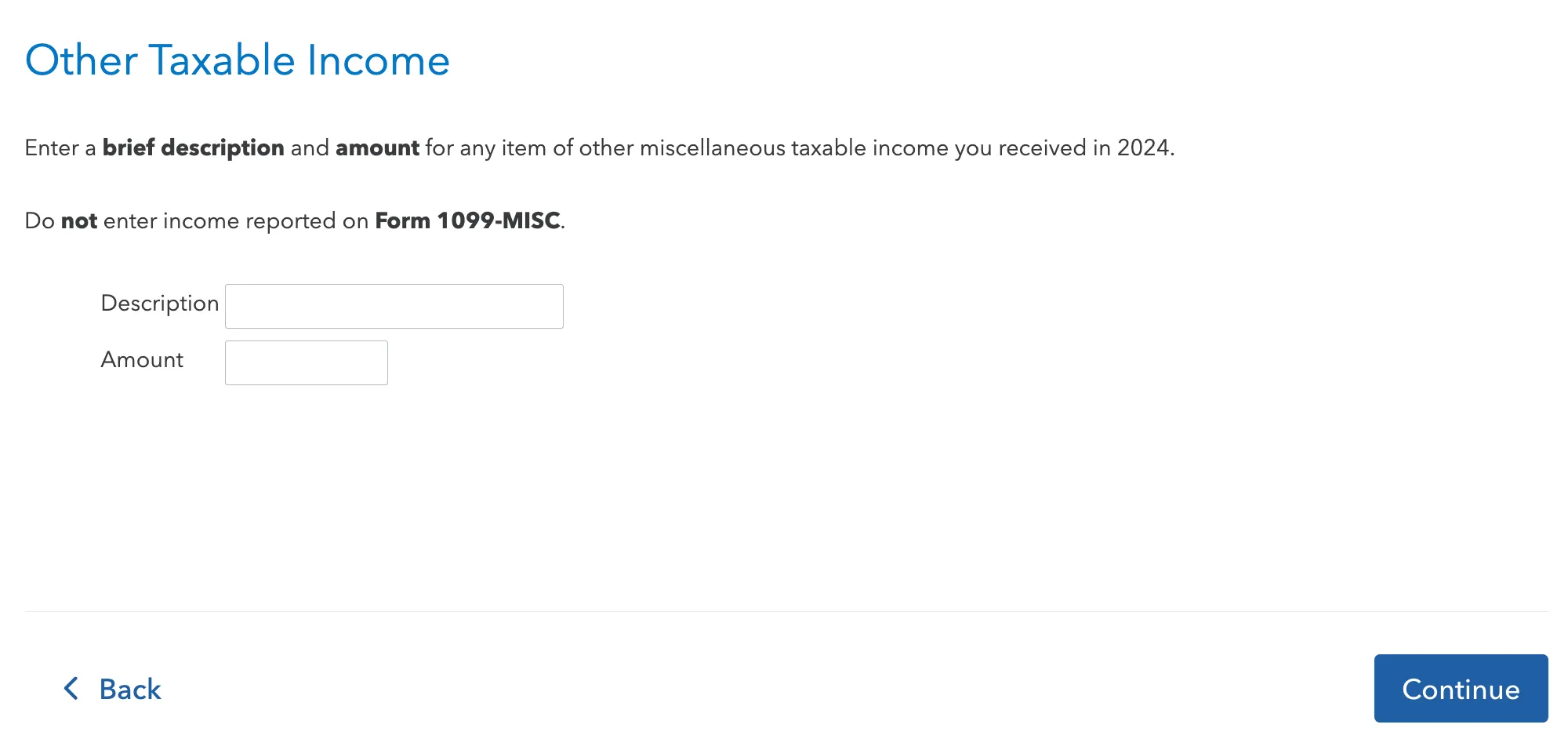
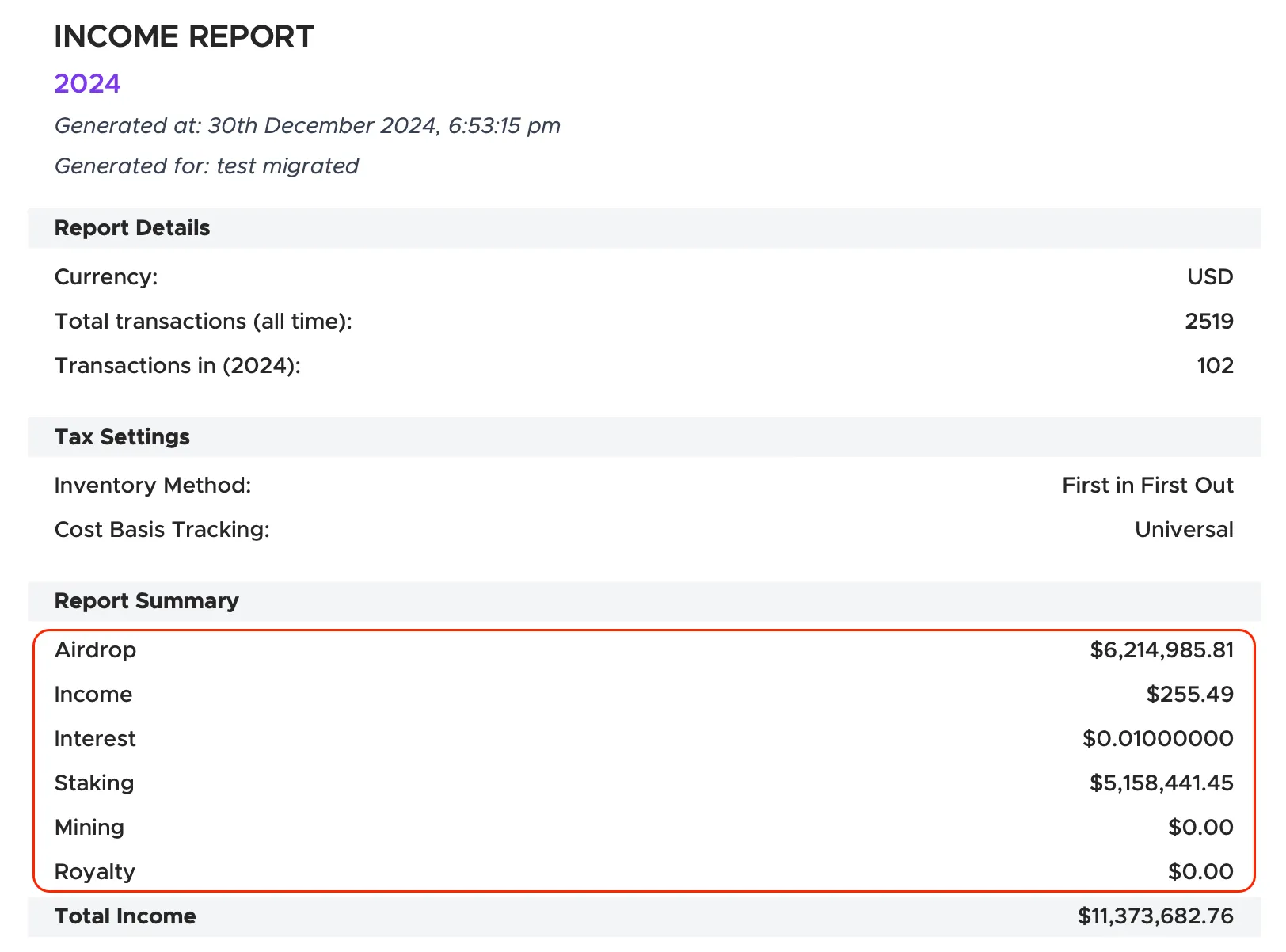
Enter the amount and income type (e.g., Crypto staking income, Crypto airdrop income) from your Summ Income Report. For multiple income items, add a new entry for each one.
5. Upload your Summ Income Report
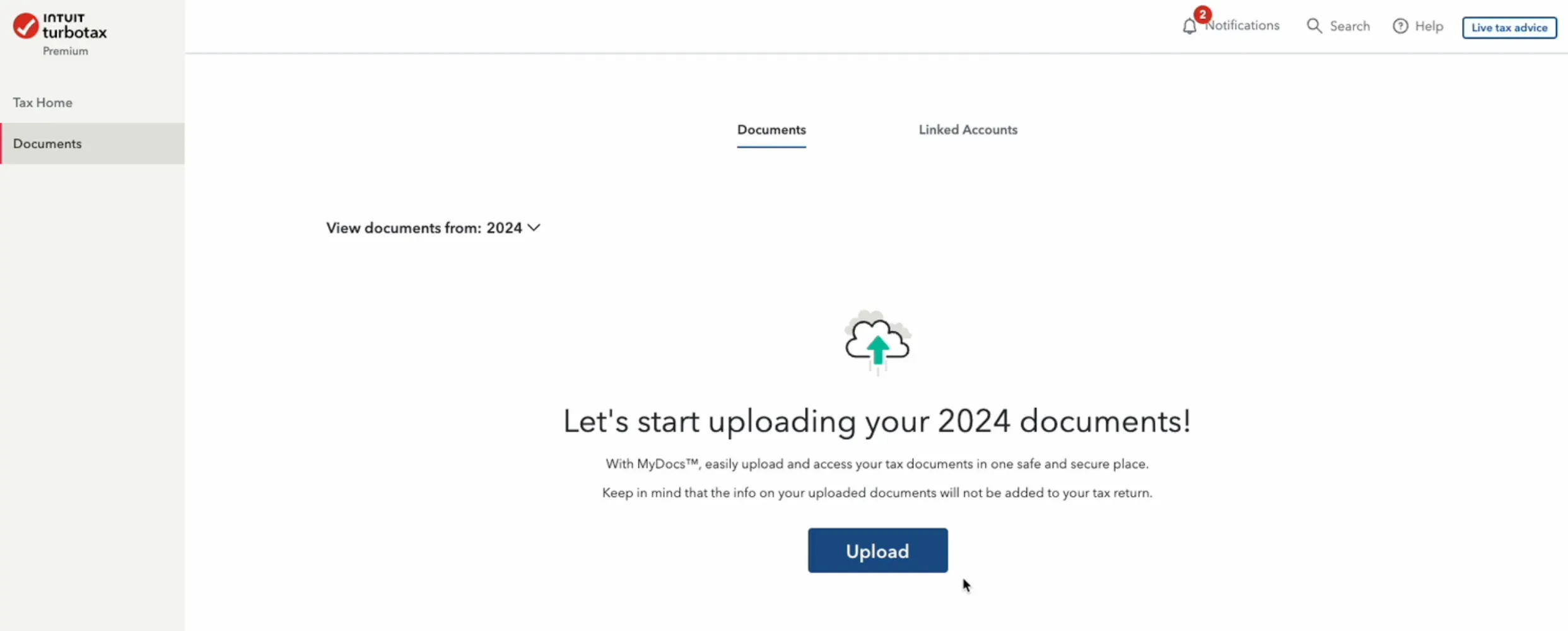
Click on Documents in the left-side menu bar.
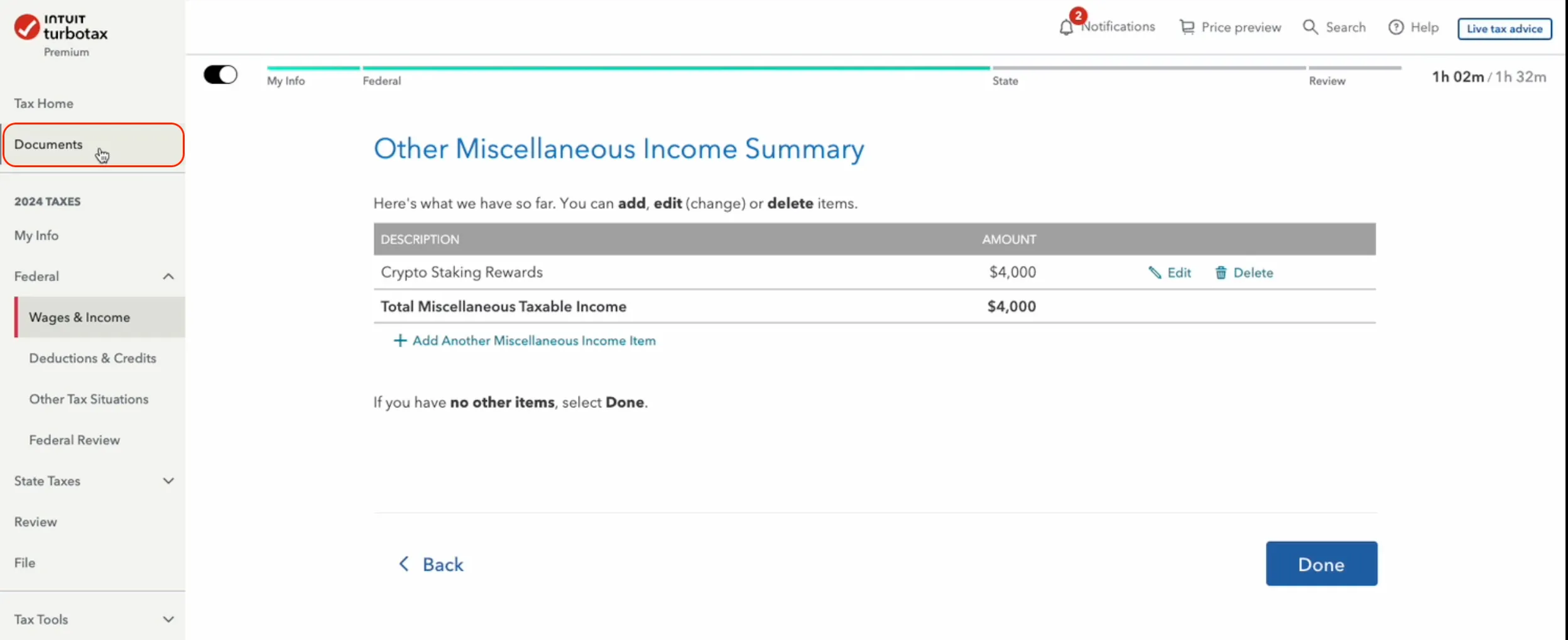
Upload your Summ Income Report.
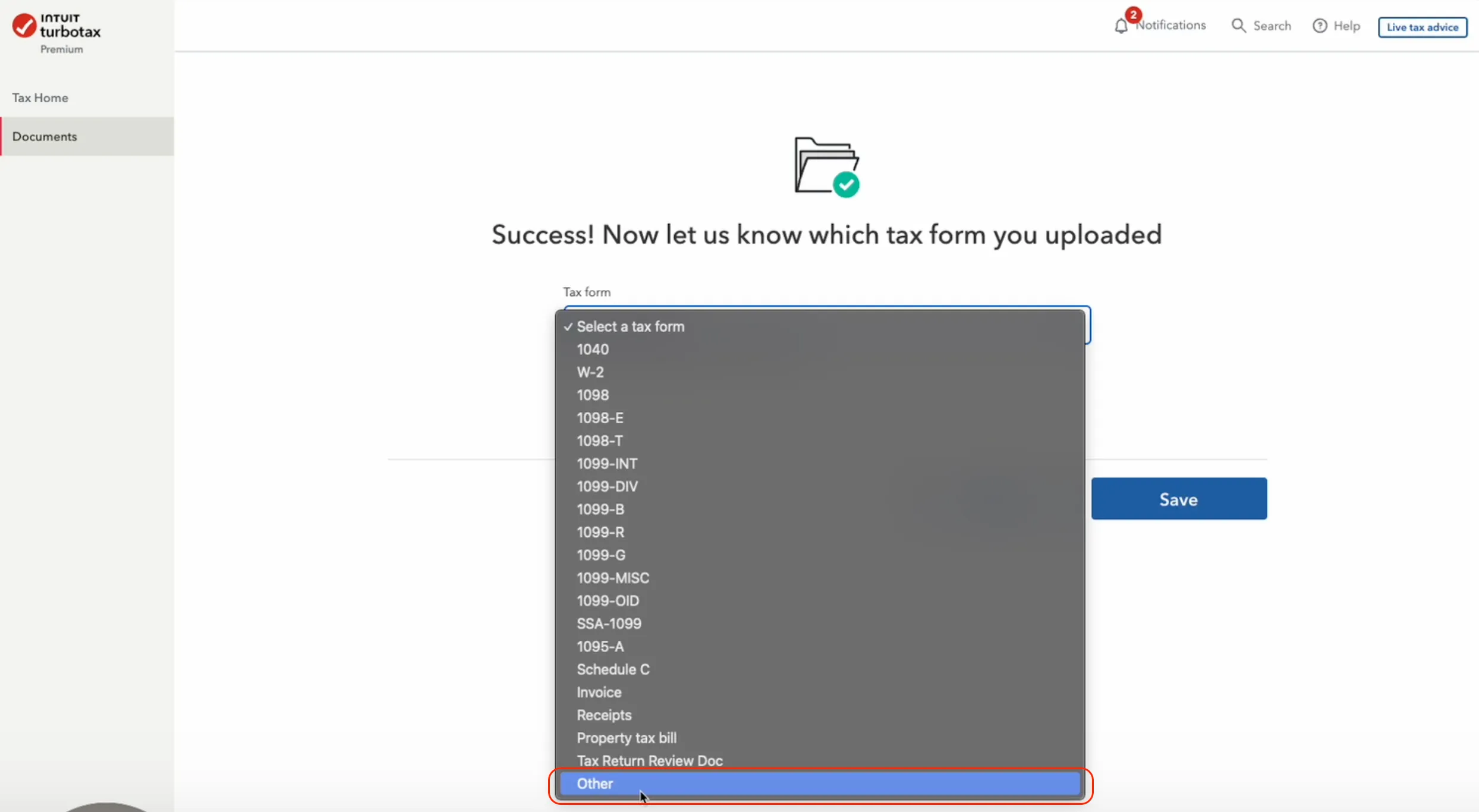
In the Tax Form dropdown menu, select Other for the Summ Income Report you just uploaded.
Die auf dieser Website bereitgestellten Informationen sind allgemeiner Natur und stellen keine Steuer-, Buchhaltungs- oder Rechtsberatung dar. Sie wurden ohne Berücksichtigung Ihrer persönlichen Ziele, finanziellen Situation oder Bedürfnisse erstellt. Bevor Sie auf Grundlage dieser Informationen handeln, sollten Sie deren Eignung im Hinblick auf Ihre eigenen Ziele, Ihre finanzielle Situation und Ihre Bedürfnisse prüfen und professionellen Rat einholen. Summ (ehemals Crypto Tax Calculator) übernimmt keine Garantien, Zusicherungen oder Gewährleistungen, weder ausdrücklich noch stillschweigend, und haftet nicht für Verluste oder Schäden jeglicher Art (einschließlich menschlicher oder technischer Fehler, ob fahrlässig oder anderweitig, sowie Folgeschäden), die aus der Nutzung oder dem Vertrauen auf die Informationen oder Ratschläge auf dieser Website entstehen oder damit im Zusammenhang stehen. Nutzer und Nutzerinnen tragen die alleinige Verantwortung für die Verwendung der Inhalte dieser Website, unabhängig vom Zweck dieser Nutzung oder den erzielten Ergebnissen. Die Informationen auf dieser Website ersetzen keine fachkundige Beratung.
FAQ
TurboTax is limited to 2251 transactions. If you have more than this, we will consolidate your transaction history so it fits into the TurboTax software. You will also need to mail your complete 8949 form to the IRS.
No, TurboTax does not automatically send the Summ Income Report to the IRS because the IRS e-file system cannot accept additional files. If the IRS needs it, they will request it from you directly. If you want to include the report voluntarily, you can print your tax return, attach the income report to the back, and mail it to the IRS.
If your report fails to upload, ensure you are importing it under the Federal section, not the Documents section. These sections serve different purposes, and uploading to the wrong one can cause errors.

Nick is a licensed attorney and the Head of Tax at Summ (formerly Crypto Tax Calculator), with over 6 years of experience in the crypto tax space. He has previously held key roles at Deloitte and TurboTax, focusing on digital asset taxation and blockchain compliance. At Summ, Nick helps drive the development of a leading software that enables taxpayers around the world to accurately and efficiently complete their crypto taxes.
Weitere Ressourcen

How to do your MetaMask taxes in 2025
A step-by-step walkthrough of everything you need to know about calculating your MetaMask crypto tax.
Weiterlesen
DAC8, CARF und das Kryptowerte-Steuertransparenzgesetz: Was das Finanzamt ab 2026 über Ihre Kryptowerte erfährt
DAC8, CARF und KStTG: Ab 2026 melden Krypto-Dienstleister Nutzer- und Transaktionsdaten an das BZSt. Was gemeldet wird und was Anleger jetzt tun sollten.
Weiterlesen
Tax Clarity for the Way You Actually use Crypto
We're excited to announce a partnership with XPlace, Solana's first true crypto credit card.
Weiterlesen