Coinbase Canada crypto tax guide 2026
If you traded on Coinbase this year and you're based in Canada, you have tax obligations. April 30 is the filing deadline. Here's what you need before you get there.


If you traded on Coinbase this year and you're based in Canada, you have tax obligations. April 30 is the filing deadline. Here's what you need before you get there.
What the CRA expects from Coinbase users
The CRA treats crypto as a commodity, not currency. Every time you dispose of it, something taxable happens. That includes:
- Selling crypto for Canadian dollars
- Trading one crypto for another (BTC to ETH is a disposal - both sides of the trade)
- Spending crypto on goods or services
- Gifting crypto to someone else
What's not taxable: transferring between wallets you own, and holding without selling.
Investor or trader? If you buy and sell occasionally with a long-term view, the CRA taxes 50% of your capital gains at your marginal income tax rate. If you trade frequently, at scale, with a business-like approach, the CRA may classify you as a trader. If you're unsure which side you fall on, talk to a tax professional before you file.
Staking, DeFi rewards, and airdrops are generally treated as income at the time you receive them. The taxable amount is the CAD fair market value on the day of receipt. If you later sell those tokens, you may also have a capital gain on top of that.
The filing deadline for most individual taxpayers is April 30, 2026. If you’re self-employed or filing through a registered tax agent, you have until June 15 to file.
One thing Canada does differently: ACB
Unlike Australia, the UK, or the US, Canada requires a specific cost basis method: Adjusted Cost Base (ACB).
ACB is a running average. Every time you buy more of an asset, you recalculate the average cost across all your holdings of that asset. When you sell, your gain or loss is based on that average, not the price of a specific lot.
How to get your transaction data from Coinbase
You can choose to import your Coinbase transaction data into Summ using one of the three different methods (OAuth, API connection, and CSV upload) based on your preference. By following these steps, you’ll streamline your tax preparation process, ensuring that your Coinbase and other cryptocurrency transactions are accurately reported.
Uploading Your Coinbase Transactions via OAuth
The easiest way to upload your Coinbase transactions is via our 1-click OAuth integration as seen below:
On Summ:
- Log In: Access your account on the Summ platform.
- Note: If you don’t yet have a Summ Account, you can set one up for free using your Coinbase account credentials.
Shortcut: To quickly access the integrations page where you can add Coinbase to your Summ account, follow this link.
- Go to Integrations tab: Navigate to ‘Integrations’ from the tabs at the top of the page.

-
Add Integration: Click ‘add integrations’ button.
-
Select Coinbase: choose Coinbase as your exchange from the available options.
-
Connect Coinbase: Select the connect coinbase option and then select the ‘Connect to Coinbase’ button.
-
Set permissions: You will be taken to a coinbase page where you can allow access to your wallets.
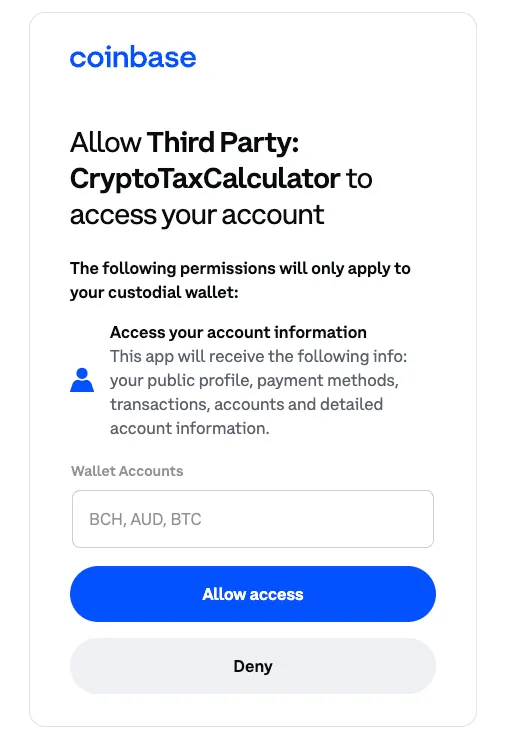
- After selecting accept, Coinbase should now be attached to your Summ account.

Uploading Your Coinbase Transactions with an API
Using an API connection is a seamless way to import your Coinbase data. Here’s how to set it up:
On Coinbase:
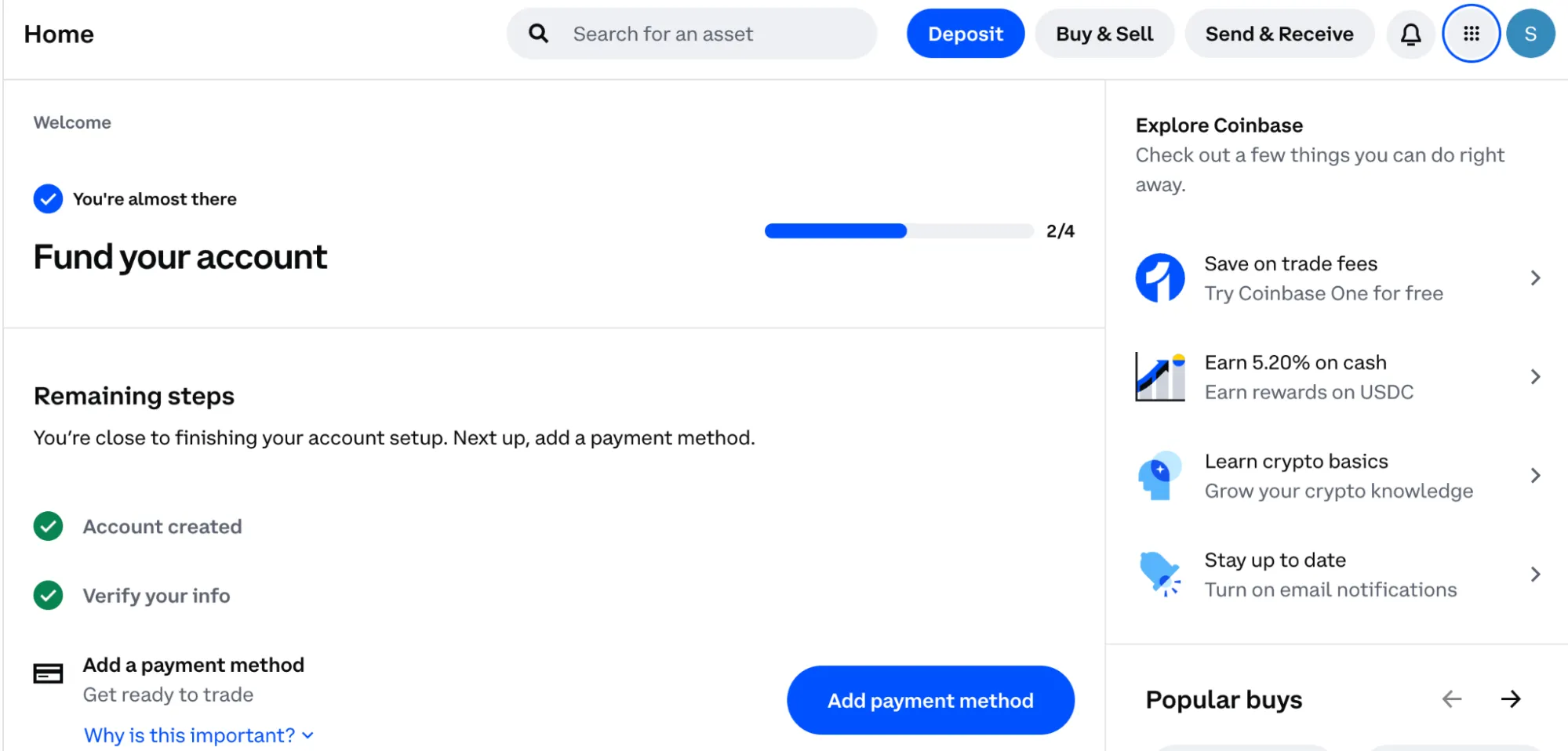
- Log In: Access your Coinbase account and go to settings by clicking on your profile icon in the top right corner.Shortcut: To quickly access the settings page where you can generate an API key on Coinbase, follow this link and skip to step 3.
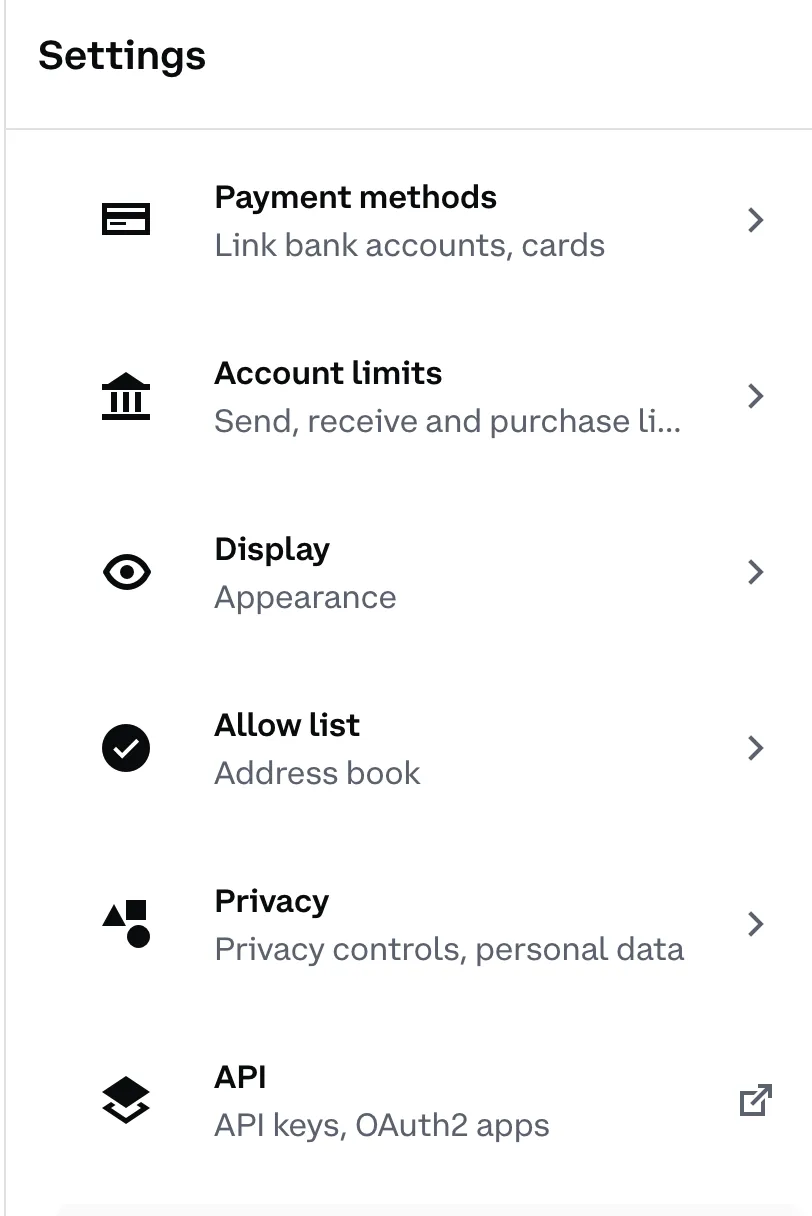
- Navigate to API Settings: In the settings menu, find and select the ‘API’ section.
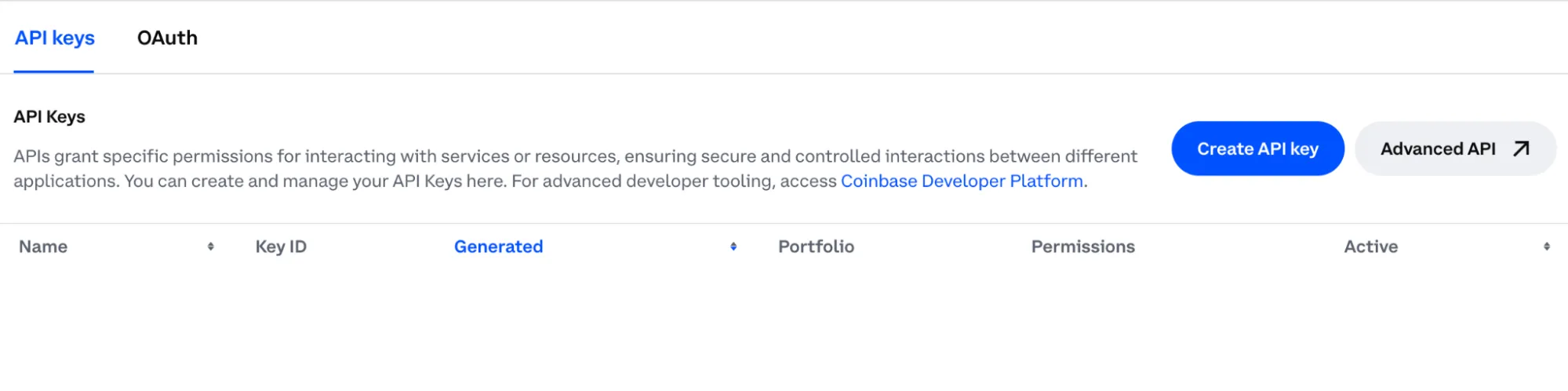
- Create a New API Key: Click on ‘Create New API Key’.
- Set Permissions: Choose the ‘Read-only’ permissions to ensure that the calculator can access your transaction data without modifying it.
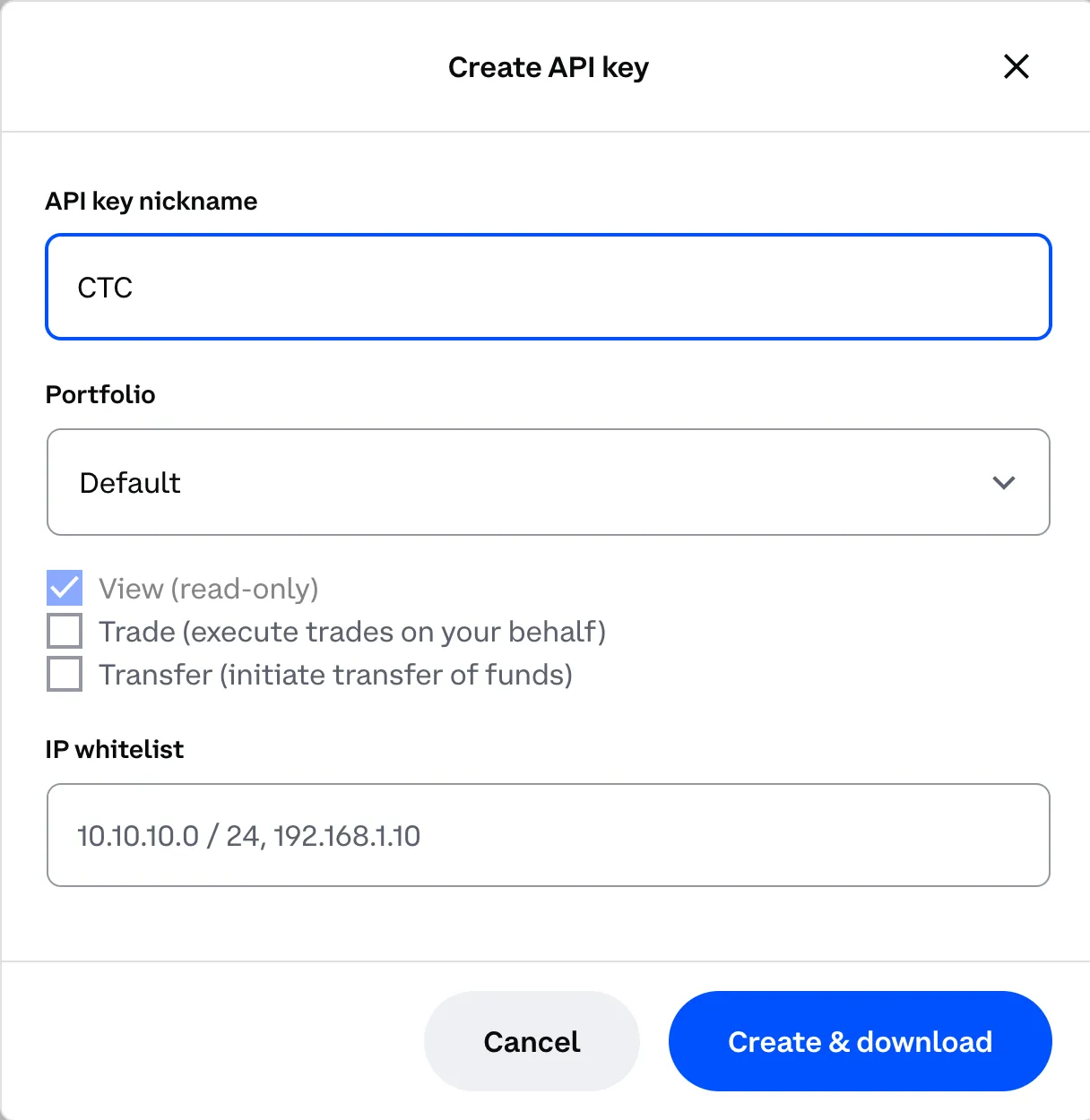
- Generate API Key: Follow the prompts to generate your API key. You may be asked to enter your passphrase for security.
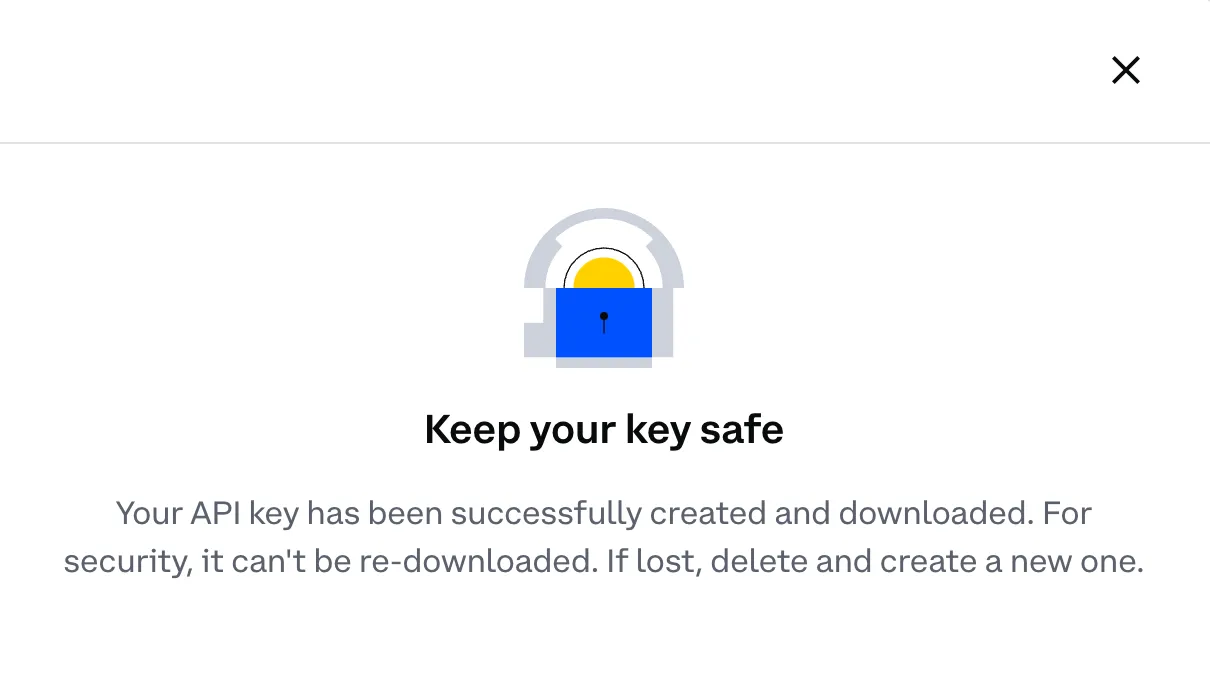
- Save Your Keys: Copy the API Key and Secret Key provided and store them in a secure location. You’ll need these for the import process.
On Summ:
- Log In: Access your account on the Summ platform.
Note: If you don’t yet have a Summ Account, you can set one up for free using your Coinbase account credentials.
Shortcut: To quickly access the integrations page where you can add Coinbase to your Summ account, follow this link and skip to step 5.
- Go to Integrations tab: Navigate to ‘Integrations’ from the tabs at the top of the page.
- Add Integration: Click the ‘add integrations’ button.
- Select Coinbase: choose Coinbase as your exchange from the available options.
- Paste API Keys: Enter the API Key and Secret Key you obtained from Coinbase and click ‘Import’.
- Wait for Data Upload: The import process may take a few minutes. During this time, you can proceed with importing data from other exchanges or tasks.
Uploading Your Coinbase Transactions with a CSV File
If you prefer or need to use a CSV file, follow these steps:
On Coinbase:
- Log In: Access your Coinbase account.Shortcut: To quickly access the settings page where you can generate a CSV report on Coinbase, follow this link and skip to step 4.
- Navigate to settings: Go to the settings by clicking on your profile icon in the top right corner
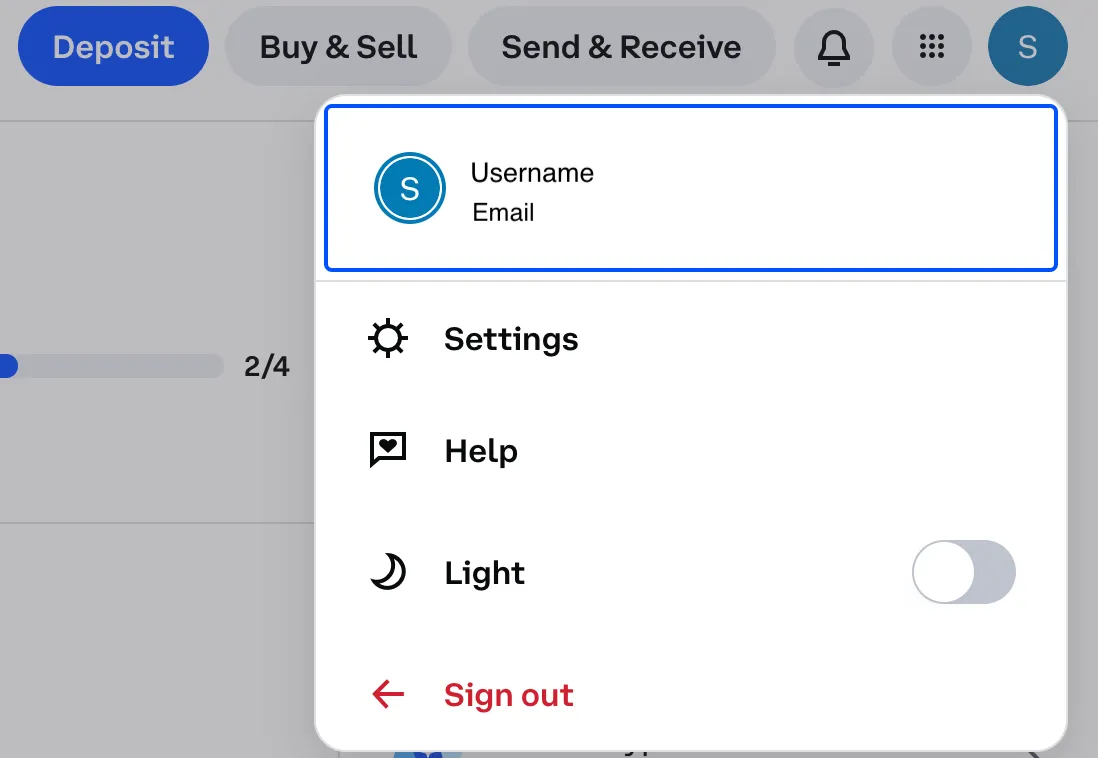
- Go to accounts: Navigate to accounts overview by selecting ‘Go to accounts’.
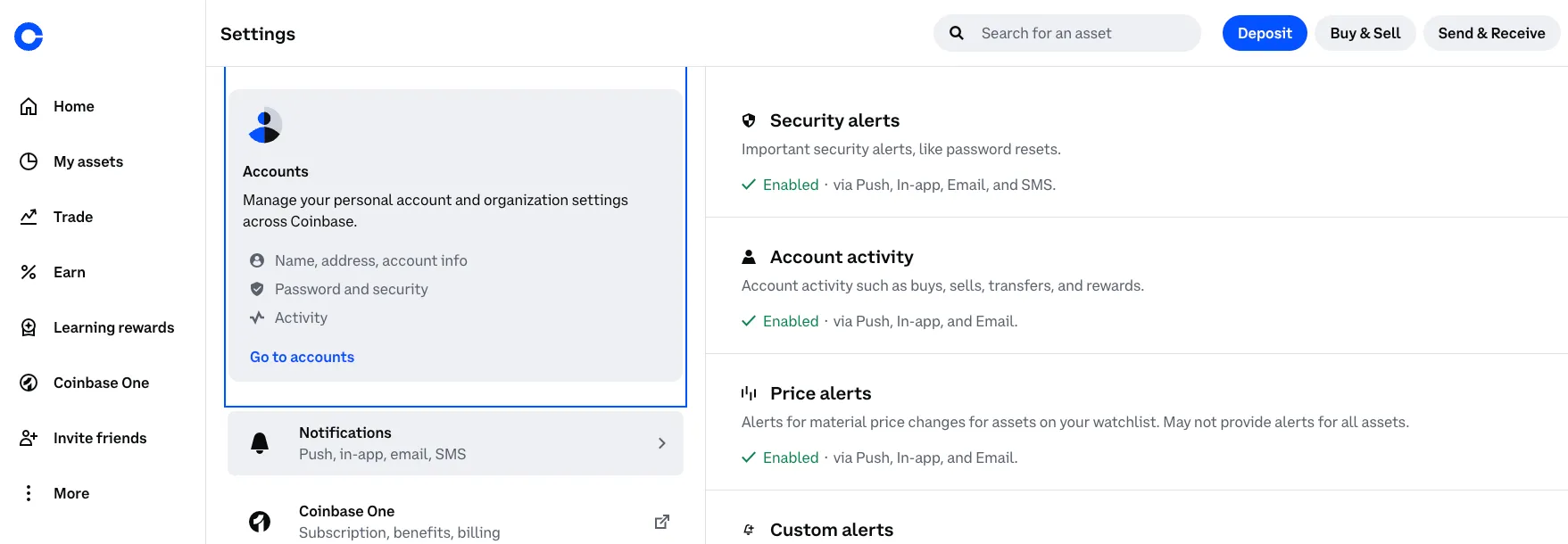
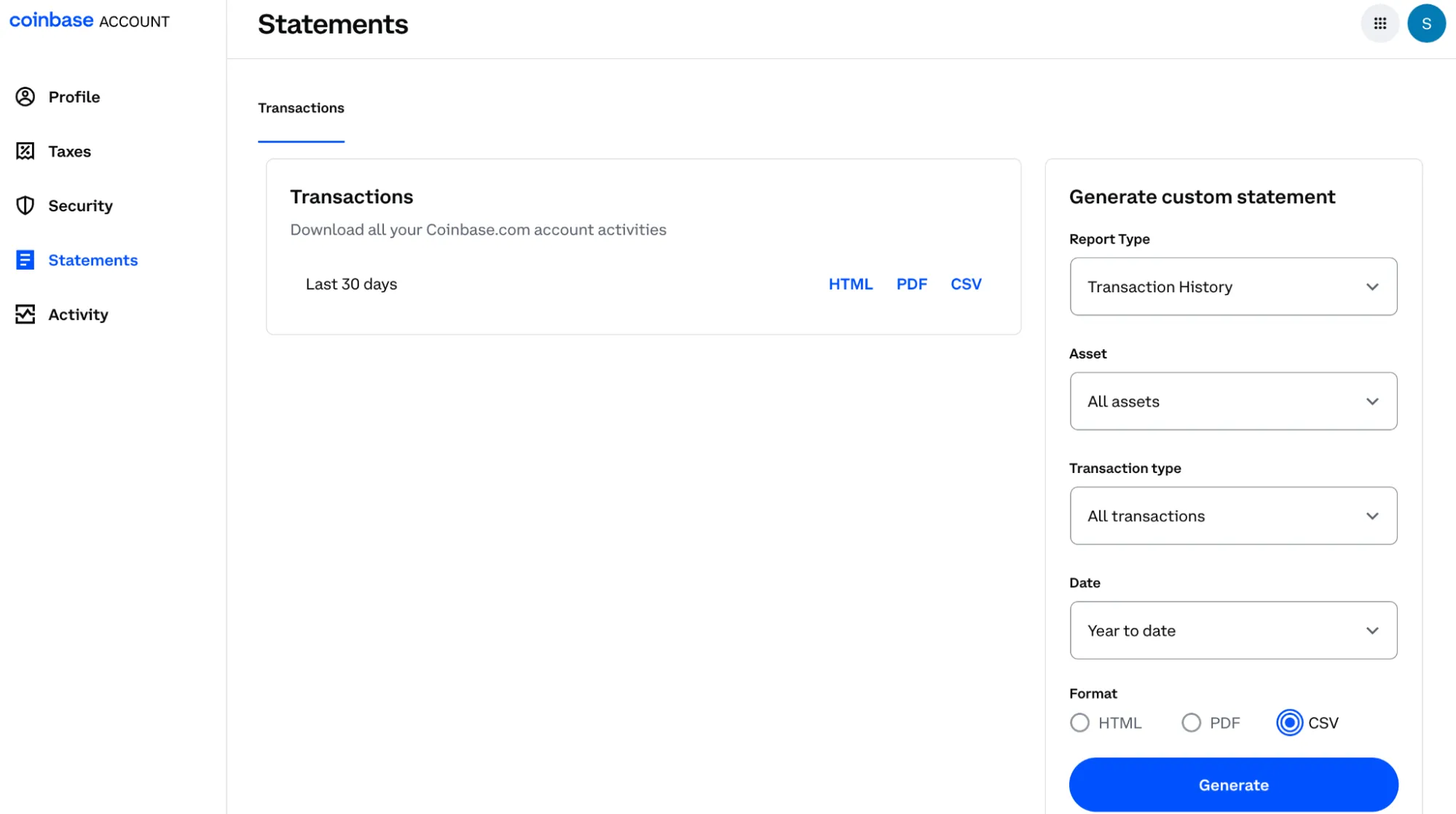
- Navigate to statements: Select Statements from the right hand menu.
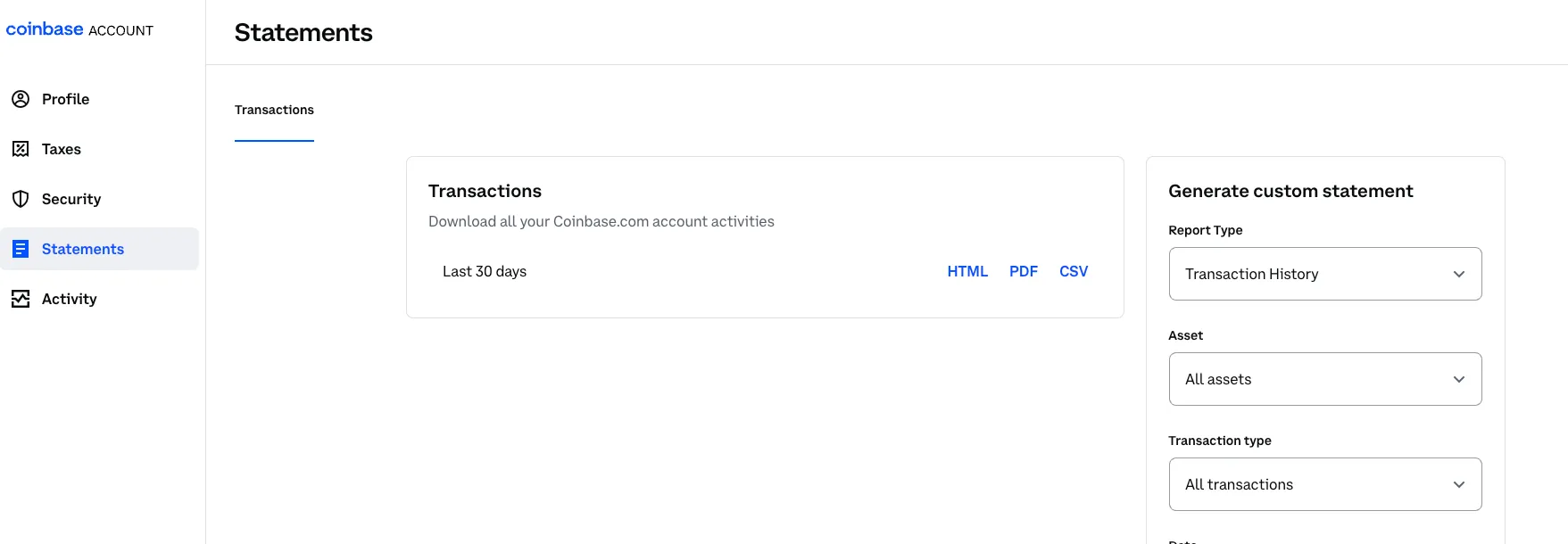
- Create a report: by selecting the CSV file format. Download this file to your computer.
On Summ:
- Log In: Access your account on the Summ platform.
Note: If you don’t yet have a Summ Account, you can set one up for free using your Coinbase account credentials.
Shortcut: To quickly access the integrations page where you can add Coinbase to your Summ account, follow this link and skip to step 5.
- Go to Integrations tab: Navigate to ‘Integrations’ from the tabs at the top of the page.
-
Add Integration: Click the ‘add integrations’ button.
-
Select Coinbase: choose Coinbase as your exchange from the available options.
-
Upload CSV File: Click on ‘Upload File’ and select the file you downloaded from Coinbase.
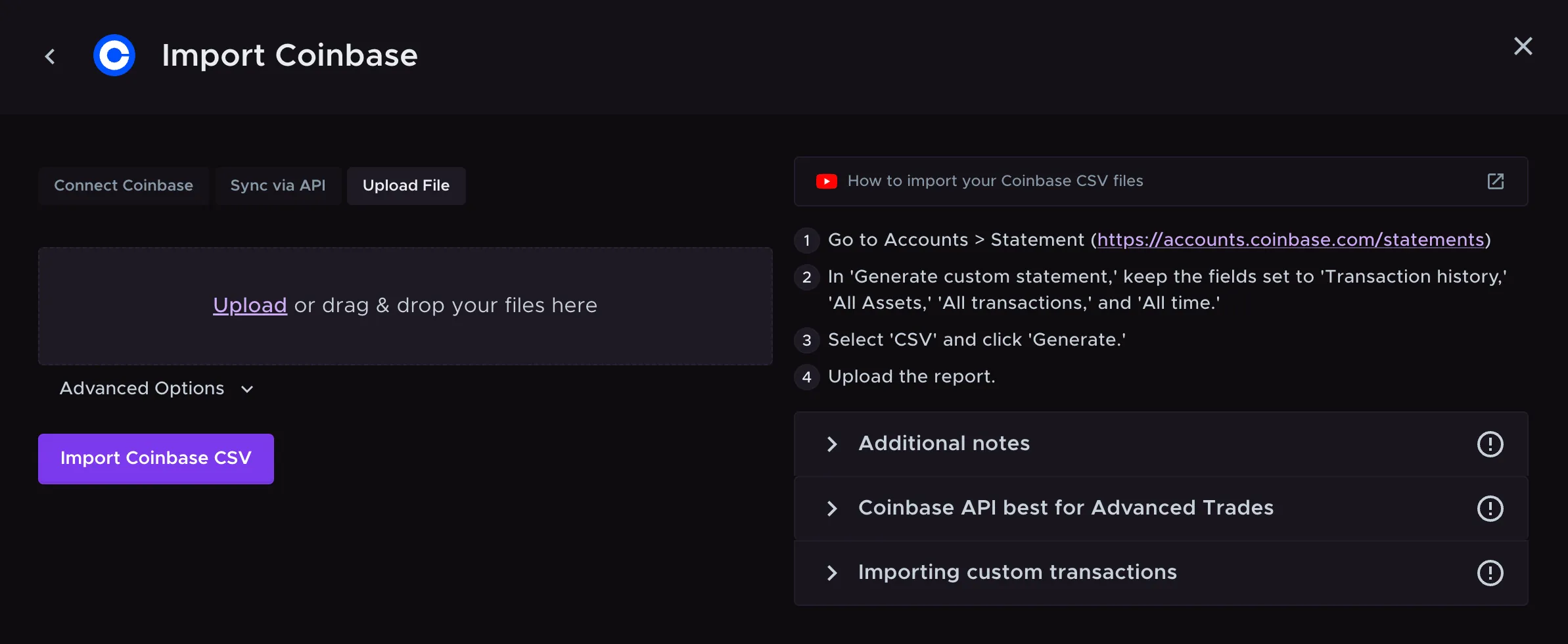
- Verify Data: Ensure that all transactions have been imported correctly and make any necessary adjustments.
Calculate your Coinbase taxes with Summ
Now that you've exported your Coinbase transaction history, the next step is turning that data into a validated tax report.
Paste your public wallet address or connect via API, and Summ (formerly Crypto Tax Calculator) pulls in your full transaction history automatically. We'll apply Canadian ACB calculations and generate a tax report that's ready to file or hand to your accountant.
If you've traded across multiple exchanges or wallets, Summ handles that too. Import from 3,500+ sources and it combines everything into one report. Log in or sign up to connect your accounts.
Once your transactions are in, you can download your report and file with confidence. No spreadsheets. No manual calculations. No second-guessing your numbers before April 30.
Summ supports:
- Wallet and exchange imports across 3,500+ sources
- Automatic ACB calculation and gain/loss categorisation
- TurboTax integration for direct filing
The information provided on this website is general in nature and is not tax, accounting or legal advice. It has been prepared without taking into account your objectives, financial situation or needs. Before acting on this information, you should consider the appropriateness of the information having regard to your own objectives, financial situation and needs and seek professional advice. Summ (formerly Crypto Tax Calculator) disclaims all and any guarantees, undertakings and warranties, expressed or implied, and is not liable for any loss or damage whatsoever (including human or computer error, negligent or otherwise, or incidental or Consequential Loss or damage) arising out of, or in connection with, any use or reliance on the information or advice in this website. The user must accept sole responsibility associated with the use of the material on this site, irrespective of the purpose for which such use or results are applied. The information in this website is no substitute for specialist advice.
More resources

Tax Clarity for the Way You Actually use Crypto
We're excited to announce a partnership with XPlace, Solana's first true crypto credit card.
Read More
The Best CoinTracker Alternatives for 2026
Looking for CoinTracker alternatives? Compare the best crypto tax software in Canada including Summ, CoinLedger, and more. Features CRA compliance & DeFi support.
Read More
The Best Koinly Alternatives for 2026
Looking for Koinly alternatives? Compare the best crypto tax software in Canada including Summ, CoinTracker and more. Features CRA compliance & DeFi support.
Read More