Key takeaways
- The IRS requires exchanges like %exchangeName% to report your crypto transactions using Form 1099-DA, making accurate tax reporting more important than ever.
- Starting in 2026, you'll receive a 1099-DA from %exchangeName% for your 2025 transactions – but the form may contain missing cost basis data. This needs to be amended to prevent you from greatly overpaying on your tax.
- Crypto Tax Calculator automatically syncs with %exchangeName% and all your other crypto accounts to generate accurate, IRS-compliant tax reports that reconcile with your 1099-DA forms.
If you've been trading crypto on %exchangeName%, understanding how to properly report your taxes is more critical than ever. With the introduction of IRS Form 1099-DA, exchanges like %exchangeName% are now required to report your crypto transactions, profits, loss and income directly to the IRS. However, this information from exchanges may be incorrect or incomplete, and it's up to you to report the accurate figures to the IRS.
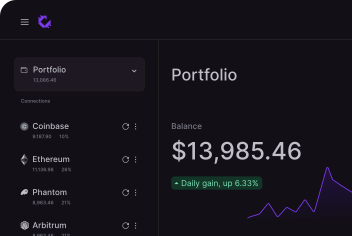
The good news is that Crypto Tax Calculator makes calculating your %exchangeName% taxes quick and easy by automatically importing your data and generating comprehensive tax reports.
Quick steps
1. Create an account on Crypto Tax Calculator or log in if you already have one.
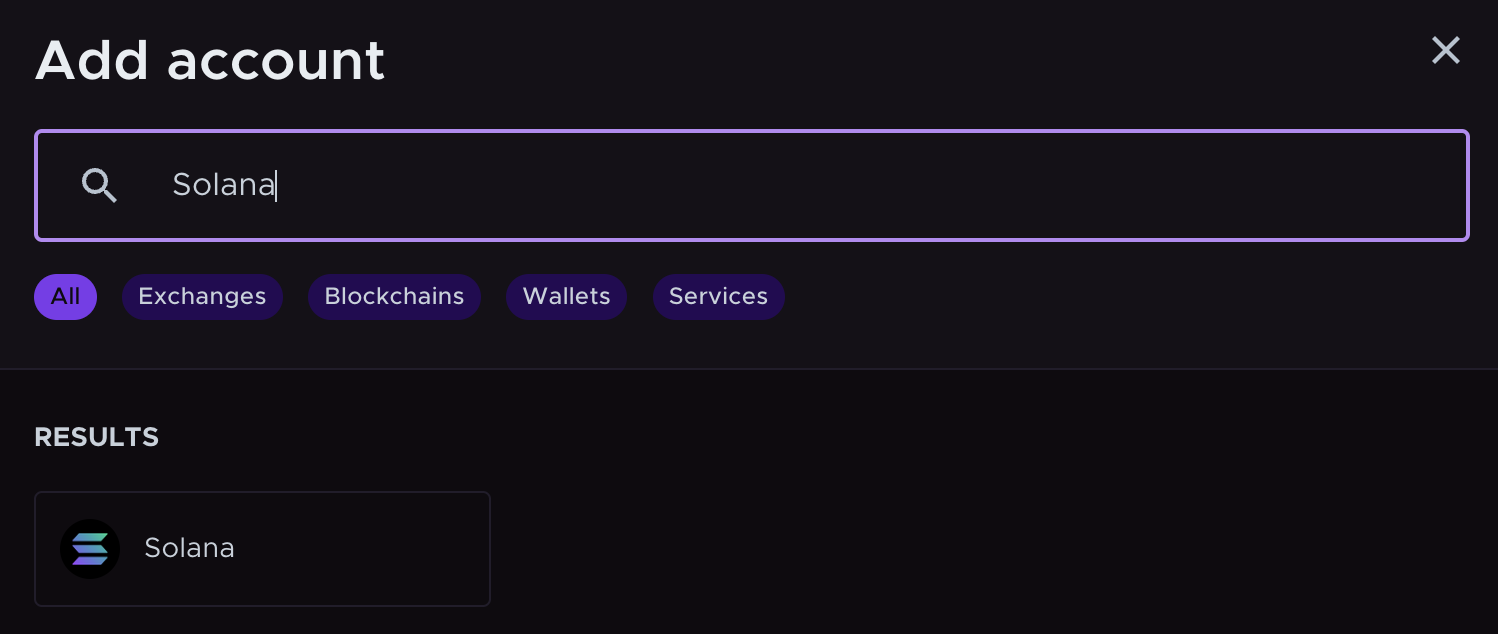
2. Select %exchangeName% in the Accounts list.
3. Import your %exchangeName% transactions using API or CSV.
4. Let our software calculate your gains, losses, and income.
5. Download your tax report and file it with your taxes.
Disclaimer: The information in this guide is for US taxpayers and is general in nature. Cryptocurrency tax laws are complex and subject to change. Consult a tax professional for advice tailored to your circumstances.
What is Form 1099-DA and how does it affect %exchangeName% users?
Starting in 2026, %exchangeName% will issue Form 1099-DA (Digital Asset Proceeds From Broker Transactions) to report your crypto transactions from the 2025 tax year directly to the IRS. This marks a significant shift in crypto tax reporting.
What will be on your 1099-DA?
For the 2025 tax year (forms issued in early 2026), your 1099-DA will show:
- Gross proceeds from sales and disposals of digital assets on %exchangeName%
- Transaction dates and details
Starting with the 2026 tax year and beyond, your 1099-DA will also include:
- Cost basis information (but only for assets bought and sold on %exchangeName%)
- Adjusted basis and wash sale information
Why your 1099-DA might lead you to overpay on your tax
Here's the challenge: %exchangeName% can only report cost basis for crypto that you bought and sold entirely on their platform.
If you transferred crypto into %exchangeName% from another wallet or exchange, %exchangeName% has no record of your original purchase price (cost basis). In these cases, the 1099-DA may show a blank cost basis or $0 – making it look like your entire proceeds are taxable gains, even when they're not. You could wind up paying thousands of dollars of tax even if you made a loss.
Additionally, the 1099-DA won't capture:
This is where Crypto Tax Calculator becomes essential. Our platform aggregates your complete transaction history across all exchanges, wallets, and DeFi protocols to calculate your true cost basis and ensure your tax report matches the IRS's records while accurately reflecting your actual tax liability.
Do I need to pay taxes on %exchangeName%?
Yes. If you've been transacting on %exchangeName% during the tax year, you're required to report your crypto activity to the IRS.
In the United States, anytime you sell crypto for cash, trade one crypto for another, or earn crypto income (such as staking rewards or referral bonuses on %exchangeName%), it's considered a taxable event.
The type of tax you owe depends on the transaction:
The IRS treats cryptocurrency as property, which means the same tax rules that apply to stocks and other investments also apply to your crypto transactions on %exchangeName%.
Do I have to pay tax if I only bought crypto on %exchangeName% but didn't sell?
No. Simply buying and holding crypto is not a taxable event in the United States.
You only owe taxes when you later sell, trade, or otherwise dispose of that crypto. However, you should keep careful records of your purchase price and date, as this information will be needed to calculate your cost basis when you eventually sell.
What %exchangeName% transactions are taxable?
The following are common transactions on cryptocurrency exchanges like %exchangeName% which are relevant to tax:
| Event |
Tax implication |
| Selling crypto |
Capital gains tax |
| Crypto-to-crypto swaps |
Capital gains tax |
| Rewards from staking, interest or yield |
Income tax |
In the US, proceeds from selling investments are taxed differently than income you earn. With crypto, you may be subject to both capital gains and income tax, depending on the transaction type:
Capital Gains tax events on %exchangeName%
Whenever you sell, swap or trade crypto on %exchangeName%, you're disposing of an asset for tax purposes.
If the value at the time of sale is higher than when you acquired it, you have a taxable capital gain. If it's lower, you have a capital loss, which can be used to offset other gains and reduce your tax bill.
Capital gains from crypto are reported on IRS Form 8949 and Schedule D. The proceeds on your Form 8949 must match what's reported on your 1099-DA from %exchangeName%–which is why accurate record-keeping across all your crypto accounts is essential.
Crypto Tax Calculator automatically calculates your gains and losses for each trade, properly accounts for transaction fees, and generates Form 8949 reports that reconcile with your 1099-DA forms.
Income tax on %exchangeName%
If you received crypto on %exchangeName% through staking rewards, lending interest, referral bonuses, or other earning activities, the IRS treats this as ordinary income.
You must report the fair market value of the crypto on the date you received it as income on your tax return. This value also becomes your cost basis if you later sell those tokens.
Crypto Tax Calculator automatically identifies and categorizes income events, calculates the USD value at the time of receipt, and ensures everything is reported correctly for IRS compliance.
Does %exchangeName% report to the IRS?
Yes. Starting with the 2025 tax year, %exchangeName% is required by law to report your digital asset transactions to the IRS using Form 1099-DA.
This means the IRS will have a record of your gross proceeds (and eventually cost basis) from crypto transactions on %exchangeName%. You'll receive a copy of your 1099-DA in early 2026 for your 2025 transactions.
The IRS can also use blockchain analytics, bank data sharing, and Know Your Customer (KYC) information to connect your identity to your crypto activity–even across multiple platforms. The bottom line: your crypto transactions are not anonymous to the IRS.
Where do I find %exchangeName% tax forms?
Starting in 2026, %exchangeName% will send you Form 1099-DA showing your gross proceeds from digital asset sales during the 2025 tax year. However, this form alone won't give you everything you need to accurately file your taxes.
Why the 1099-DA isn't enough
Your 1099-DA from %exchangeName% only shows activity on that single platform. It won't include:
- Transactions on other exchanges or wallets you use
- DeFi activity
- Accurate cost basis for crypto you transferred into %exchangeName%
- Complete context for your overall crypto tax situation
Without aggregating data from all your crypto accounts, you risk either overpaying taxes or filing an inaccurate return that doesn't match your 1099-DA–potentially triggering an IRS audit.
How Crypto Tax Calculator helps
Connect your %exchangeName% account to Crypto Tax Calculator via API or CSV upload. We'll automatically combine this data with all your other exchanges, wallets, and DeFi protocols to:
- Calculate accurate cost basis across all your accounts
- Generate IRS-compliant tax reports including Form 8949
- Ensure your tax return properly reconciles with your 1099-DA forms
- Identify every taxable event, including those not on your 1099-DA
You can connect unlimited accounts and generate reports for any previous tax year on a single plan.

Supports complex activity
Trading on the wild side of crypto? Your activity is supported, no matter how far you’ve fallen down the rabbit hole.

Be confident in the numbers
Easily see what’s going on across all your wallets and exchanges so you can make the best decisions at all times.

Make compliance a breeze
Fully automated from start to finish. Seamlessly import all your transactions, follow the automated workflow and get your audit-proof tax reports with ease.
How to calculate %exchangeName% taxes with Crypto Tax Calculator
1. Import your data
First, you will need to import your %exchangeName% transaction data to Crypto Tax Calculator. Here are the two main methods:
Automatic API Import
This method uses a secure API feed to transfer your transaction data to Crypto Tax Calculator. Using an API ensures that your data will be updated over time, so that any change in your %exchangeName% balance is reflected in Crypto Tax Calculator.
- Sign in to Crypto Tax Calculator or create an account. Navigate to the Accounts tab and click + Add accounts.
- Select %exchangeName% from the list of exchanges. Click on Sync via API.
- Follow the instructions on the right-hand side to find your API key on %exchangeName%.
- Input your API details and click Secure Connect.
- Once authorized, Crypto Tax Calculator will automatically import your %exchangeName% transaction history. This may take a few seconds to a few minutes depending on the number of transactions. You’ll see a confirmation when all data is imported.
CSV File Upload
Not all exchanges provide easy API access; some users might prefer CSV. Sign in to Crypto Tax Calculator or create an account. Navigate to the Accounts tab and click + Add accounts.
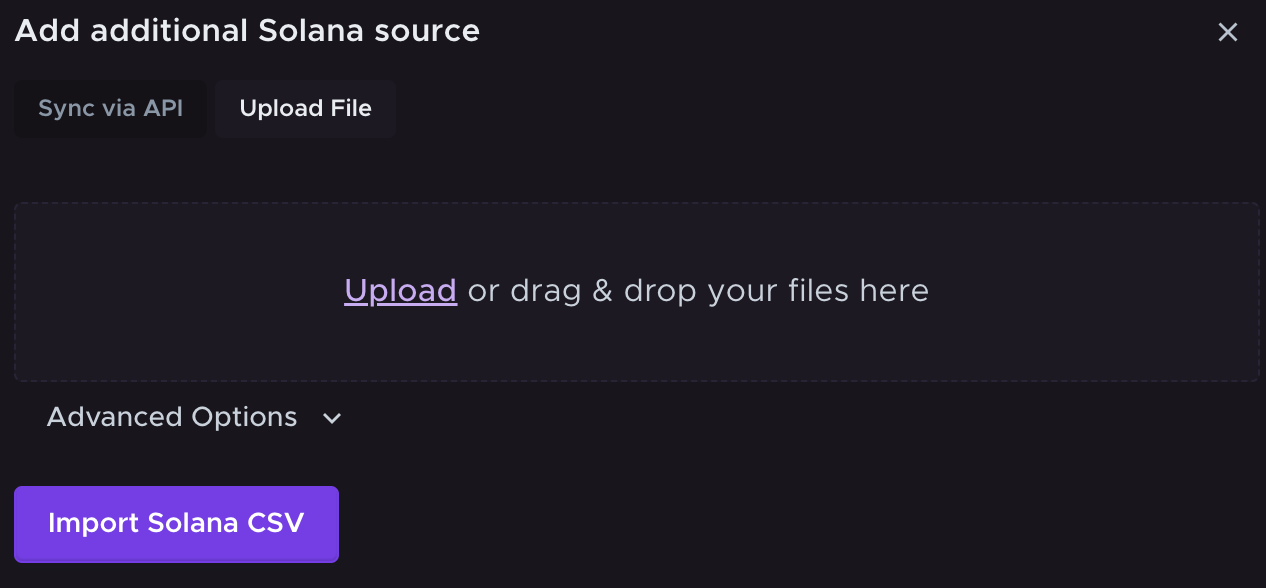
- Select %exchangeName% from the list of exchanges. Click on Upload File.
- Follow the instructions on the right-hand side to find and download your transaction data on %exchangeName%.
- Click Import %exchangeName% CSV to upload your transaction data. Choose your file using the browser or drag and drop it into the window.
- Click Import %exchangeName% CSV to complete the upload.
- Verify the data. The software will parse the CSV and import all transactions. Double-check that the transaction details match your expectations from %exchangeName%. Crypto Tax Calculator will alert you if any data seems missing or if there are errors in the file.
Note: Some exchanges split different types of transactions into multiple files or have separate histories for sub-accounts. Make sure to import all relevant files to cover your complete trading history.
2. Generate your tax report
Once your %exchangeName% data is imported to Crypto Tax Calculator via API or CSV, you can calculate your taxes with a few clicks.
- Import accounts.
Add any other exchange accounts, wallets or transaction data to Crypto Tax Calculator. You will need to upload your entire crypto transaction history for an accurate report.
- Review transactions
While Crypto Tax Calculator does the hard work for you, it may flag some missing data or errors, which you will need to review to ensure accuracy.
- Get your tax report
Generate a comprehensive tax report ready for the IRS or your accountant.
If you're new to Crypto Tax Calculator, try our Getting Started Guide for an overview of how the platform works. If you need assistance at any stage, click the chat icon in the bottom right corner to begin a live chat with our expert customer service team.
How to file your %exchangeName% tax report
Here's what to do with your crypto tax report from Crypto Tax Calculator:
- Review your tax report. After importing all your accounts, generate a comprehensive tax report. This will detail your net capital gains, losses, and income from crypto for the tax year. Review it carefully to ensure all transactions are categorized correctly and all accounts have been added. Your report will show how your transactions reconcile with the 1099-DA forms you'll receive from %exchangeName%.
- Download your IRS forms. Crypto Tax Calculator generates the specific forms you need for filing, including:
- Form 8949 (Sales and Other Dispositions of Capital Assets)
- Schedule D (Capital Gains and Losses)
- Reports formatted for TurboTax, TaxAct, and other tax software
- Complete transaction histories for audit support
- File before the IRS deadline. The standard deadline for individual US tax returns is April 15th. Make sure you file on time and accurately report all your crypto activity from %exchangeName% and other platforms to avoid penalties and interest charges.
Ready to make tax filing simple?
If you haven’t already, sign up for Crypto Tax Calculator to get your %exchangeName% tax report in minutes.
With a single account, you have all your transaction data in one place, and the heavy lifting will be done for you for years to come.
Make sure to review your report and then confidently file your taxes knowing you've accurately reconciled your 1099-DA forms with your complete crypto activity. Keeping accurate records and properly reporting your crypto gains and income is crucial for IRS compliance.
If you have any issues or questions, our support team is here to help (reach out via chat or email). Crypto taxes are much easier when you have the right tools – and we're happy to provide that for you.
Ready to get started? Generate your %year% crypto tax report for %exchangeName% now and confidently prepare for tax season!
Disclaimer: The information in this guide is for US taxpayers and is general in nature. Cryptocurrency tax laws are complex and subject to change. Consult a tax professional for advice tailored to your circumstances.